
intoLive - Live Wallpapers
ImgBase, Inc. · App ID: 1061859052
Downloads / mo
158.2K
Range 63.3K–395.4K
Revenue / mo
$284.7K
Range $113.9K – $711.8K
RPD
$1.80
Revenue per download
Avg. DAU
469K
Daily actives
Time Spent
11 min
Per user / day (est.)
Session Count
32.4M
Monthly (est.)
Category Ranking
#46
Photo & Video · Downloads
Top Countries
US · India · Brazil
By est. downloads share
Downloads Trend
1.8M12-mo total
Monthly avg 146.3K
Revenue Trend
$3.2M12-mo total
Peak Jul ($324.1K) · amber bar = best month
Release Details
- Current Version
- 4.4.0
- Last Updated
- 6/8/2026
- Release Date
- 12/4/2015
- Minimum OS
- 15.0
- File Size
- 202.9 MB
- Content Rating
- 17+
- Languages
- EN, FR, DE, IT, JA, KO +7
Description
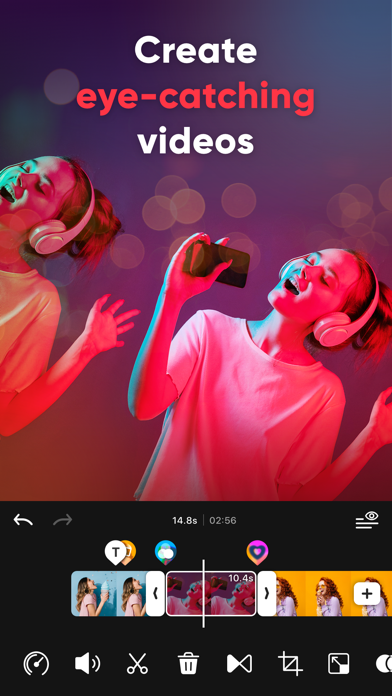
Easy-to-use Video Editor for Creators! Create extraordinary videos for TikTok, Reels, and Shorts easily while using your creative ideas. Tired of editing on such a small screen? Create eye-catching Social Media videos using intoLive, optimized for creating vertical videos (9:16 aspect ratio). intoLive offers various features for video editing ranging from basic to professional. Video Editor for Social Media - Optimized Canvas Ratio for creating vertical Videos (9:16 aspect ratio) - Various canvas formats optimized for Social Media (TikTok, Reels, and Shorts) - Share directly to TikTok, Instagram, YouTube and other social media Easy VIDEO EDITING - Video editor for iPhone - Optimized editor to merge multiple video clips - Combine photos, videos, Live Photo, and GIFs - Compatible with every media format available on iPhone - Auto-save videos as drafts and resume editing anytime - Unlimited Un-do & Re-do functions Add Effects, TEXT and STICKERS with a few taps - 50+ different effects - 100+ text styles - 35+ different text animations - Downloadable various Fonts - Fun animated stickers and emojis - GIPHY stickers for decorating videos Background MUSIC to jazz up videos - 100+ different special royalty-free soundtracks - Add music from your iTunes Library or upload your own music file - Volume control and mute for the original video - Fade in and out background music - Extract audio from your video Detailed editing for each clip - Trim, split, copy and remove clips - Crop, rotate, and flip videos - Adjust speed for fast or slow motion - Make an awesome slideshow with Clip Motion(Ken Burns effect) - Various frame designs, edit your video even more professionally Various Color Adjustments - Apply artistic filters for cinematic effects - Adjust brightness, contrast, saturation, warmth, and sharpness for color correction Make smooth TRANSITIONS - Add transitions easily - 35 different video transitions - Add color backgrounds between clips SAVE and SHARE video quickly - Save video in SD, HD, FHD or 4K quality (Depending on the device model, 4K may not be supported.) - Save video at 24, 30 or 60 FPS (Frames Per Second) - Customize live wallpapers using the live Photo With the intoLive subscription, you can have unlimited access to all features of intoLive. - Subscriptions are billed weekly, monthly, or annually depending on the subscription plan selected. - Subscription fees will be charged to your iTunes account upon confirmation of purchase. - Your subscription will renew automatically unless you turn off auto-renew at least 24 hours before the end of the current subscription period. - You can manage or cancel your subscription from your Account Settings after your purchase. - You can turn off auto-renewal from your Account Settings during your free trial. - When canceling your subscription, the subscription will stay active until the end of the period. Auto-renewal will be disabled, but refunds will not be given for any unused portion of the subscription term. If you are enjoying intoLive, please leave us reviews. We always love to hear from you to continue to improve our app for you! Email: intolive.ios@imgbase.me Terms of Use: https://www.imgbase.me/intolive/terms/termsofuse.html
Screenshots(5)
View on store ↗


Ratings
4.6 / 5
111,658 ratings
- 5 ★77%
- 4 ★11%
- 3 ★5%
- 2 ★4%
- 1 ★4%
Recent Reviews
- ★★★★★brllay
i like
i really like the moving thing
- ★★★★★⚡Best in the World⚡
Amazing
Always have a like this with a potential for everybody to use cause that’s how you guys are winning
- ★★★★★Intolive is da goat
IntoLive is the best live wallpaper app
It’s so easy to make live wallpapers and do all of the stuff that you would want to do if you want a live wallpaper
- ★★★★★laysworldd
amount of time??
the amount of waiting that i need to do as my video exports is insane. the bar wasn’t even moving at all and my video was a 2 second clip, ive tried everything to make it load faster but nothing worked. i know for sure im never downloading this app again this is crazy.
- ★★★★★🥀Desertrose🥀
Export time
I waited a whole hour and still haven’t been able to export the live wallpaper
- ★★★★★JakeBlade4
It works
It didn’t work at first but with a bit of tinkering it worked perfectly. Easy 10 out of 10. I have an apple and apparently its sensitive when it comes to Live Photos. So to save you time: Make a new project, trim your video to 4 seconds or less (be sure to have the part you want to be live in it). Then got to the Live Photo and put that edited video and trim it again. And boom it works. If you dont make a new project and just do Live Photo for some reason it will turn it into a live photo but you cant use it as your wallpaper. My phone wouldn’t recognize it. But do my method and it works like a charm. Good app!
- ★★★★★gthshame
shame
直接跳转订购移动业务,可以给负颗星
- ★★★★★Chorizo pho
Nice app but need 4K
…
- ★★★★★SinglePDA
Wow
It’s the number 1 app an service wow
- ★★★★★Quaxel14
Watermark
It’s a small water mark so I gave it a 4