
ShutterCount Mobile
DIRE Studio · App ID: 1084325249
Downloads / mo
95
Range 38–238
Revenue / mo
$835
Range $334 – $2.1K
RPD
$8.79
Revenue per download
Avg. DAU
273
Daily actives
Time Spent
11 min
Per user / day (est.)
Session Count
18.8K
Monthly (est.)
Category Ranking
100+
Photo & Video · US Today
Top Countries
US · India · Brazil
By est. downloads share
Downloads Trend
97412-mo total
Monthly avg 81.2
Revenue Trend
$8.6K12-mo total
Peak Jun ($835) · amber bar = best month
Release Details
- Current Version
- 7.0
- Last Updated
- 9/30/2025
- Release Date
- 4/4/2016
- Minimum OS
- 15.6
- File Size
- 3.9 MB
- Content Rating
- 4+
- Languages
- EN, FR
Description
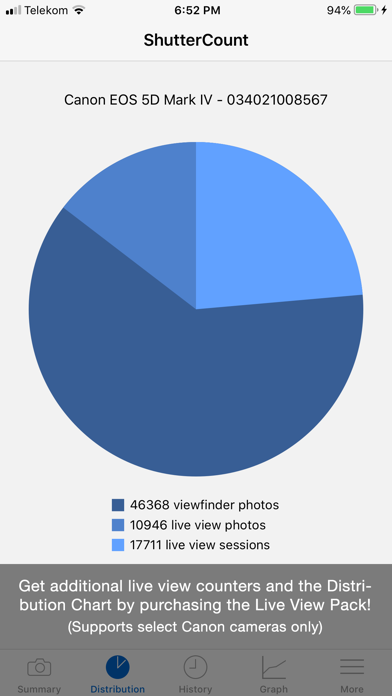
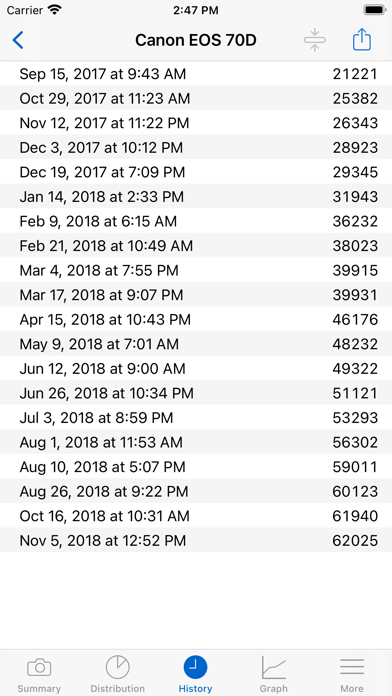
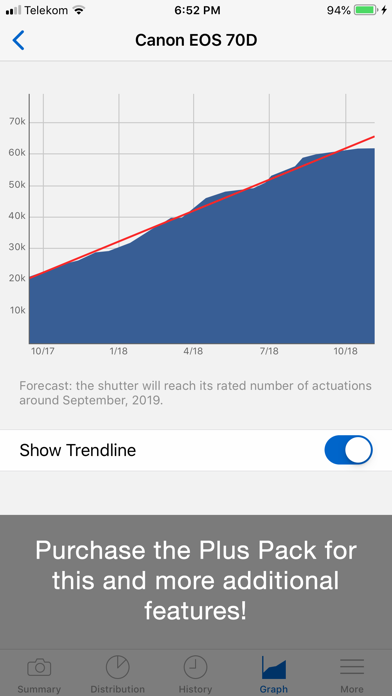
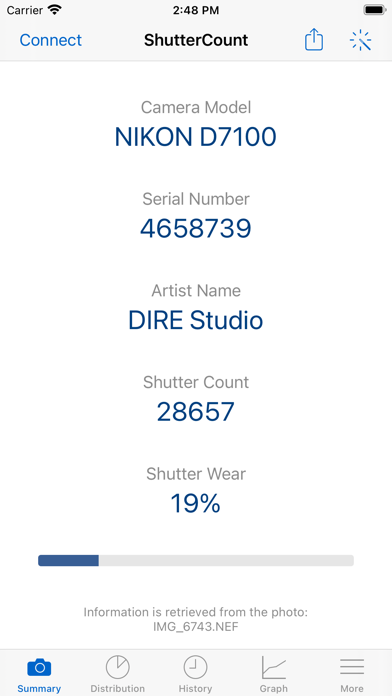
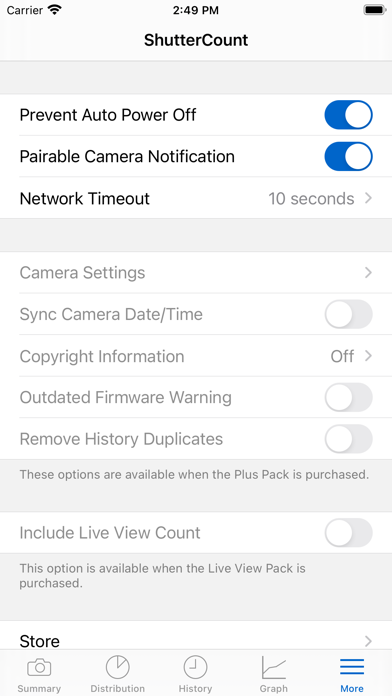
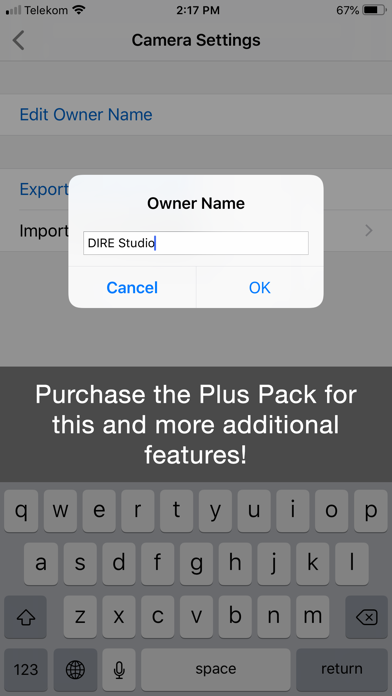
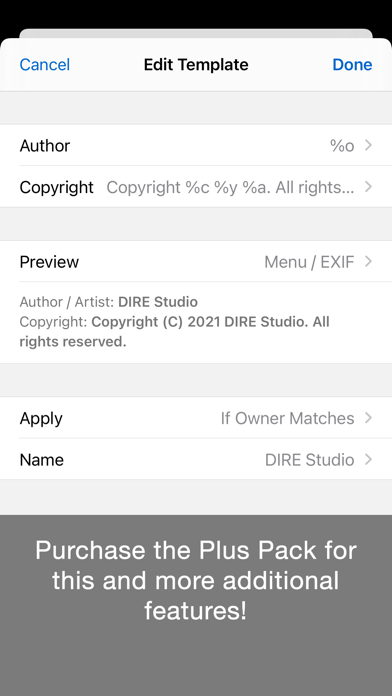
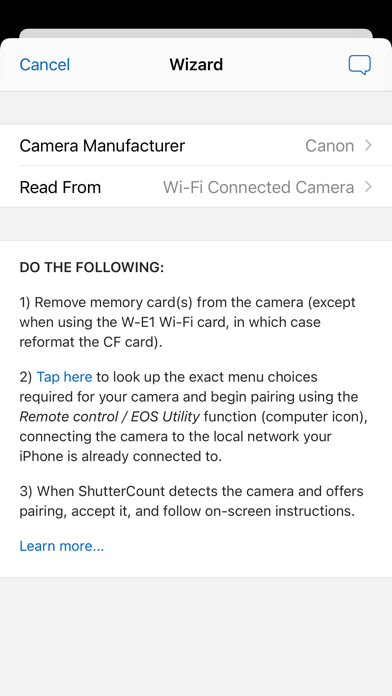
*** The original, most feature-rich and only iOS shutter count reader that works with all new Canons *** ShutterCount displays the number of shutter actuations (the shutter count) of your Canon EOS, Nikon or Pentax digital camera - see the complete list of certified models below. The shutter count is read directly from USB or Wi-Fi connected Canons, and from image files for Nikon and Pentax cameras. With ShutterCount you can easily check whether a newly purchased camera is really new, or how heavily used a pre-owned item is. And you can save a trip to a service center by doing the reading for yourself. BASE FEATURES • Unlimited readings • Counter for still photos • Wear indicator with numeric and graphical rated shutter life percentage display • History logging to track camera usage; logs are stored in CSV format that can be imported into Numbers or Excel for further processing • Reports in plain text format • Wizard to guide you through the reading process LIVE VIEW PACK (optional in-app purchase supporting select Canon models) • Counters for live view/videos and electronic shutter • Distribution chart PLUS PACK (optional in-app purchase) • Graphing • Shutter life forecasting (not available for some Nikon and Pentax models) • History deduplication • Canon EOS camera management (date/time sync, owner name editing, copyright information setting, outdated firmware warning, IPTC export/import) • Raw copyright information display and secure personal data wiping for Canons CERTIFIED CAMERAS USB connection (requires a Lightning to USB Camera Adapter or a USB-C equipped iPad; Wi-Fi on the camera must be disabled): • Canon 1D4/1DC/1DX/1DX2/1DX3/5D2/5D3/5D4/5DS/5DSR/6D/6D2/7D/7D2/40D/50D/60D/60Da/70D/77D/80D/90D/100D/200D/200D2/250D/450D/500D/550D/600D/650D/700D/750D/760D/800D/850D/1000D/1100D/1200D/1300D/1500D/2000D/3000D/4000D/8000D/9000D/M6II/M50/M50II/R/R1/R3/R5/R5C/R5II/R6/R6II/R7/R8/R10/R50/R100/Ra/RP; Kiss F/M/M2/X2/X3/X4/X5/X6i/X7/X7i/X8i/X9/X9i/X10/X10i/X50/X70/X80/X90; Rebel SL1/SL2/SL3/T1i/T2i/T3/T3i/T4i/T5/T5i/T6/T6i/T6s/T7/T7i/T8i/T100/XS/XSi Wi-Fi/Ethernet connection is supported using built-in networking or Canon transmitters on the above cameras having the "EOS Utility" function. The camera must be paired directly with ShutterCount using this function. Image files: • Nikon D2H/D2X/D2Xs/D3/D3S/D3X/D4/D4S/D5/D6/D40/D40X/D50/D60/D70/D70s/D80/D90/D200/D300/D300S/D500/D600/D610/D700/D750/D780/D800/D800E/D810/D850/D3000/D3100/D3200/D3300/D3400/D3500/D5000/D5100/D5200/D5300/D5500/D5600/D7000/D7100/D7200/D7500/Df/Z5/Z6/Z6II/Z6III/Z7/Z7II/Z8/Z9/Z30/Z50/Zf/Zfc; 1 AW1/J1/J3/J4/J5/V1/V2/V3; Coolpix A • Pentax *istDL/*istDL2/645D/645Z/K1/K1II/K3/K3II/K3III/K3IIIMono/K5/K5II/K5IIs/K7/K10D/K20D/K30/K50/K70/K100D/K100D Super/K200D/K500/K2000/Km/KP/Kr/KS1/KS2/Kx Cameras not listed here are not supported. FOR DETAILED COMPATIBILITY INFORMATION PLEASE VISIT: https://www.direstudio.com/shuttercount/tech-specs Questions? Problems? Check out the Getting Started Guide (https://www.direstudio.com/shuttercount/getting-started), the FAQ (https://www.direstudio.com/shuttercount/faq), or contact our support by tapping Report a Problem on the More tab! DISCLAIMER: The app displays the camera's internal counter. DIRE Studio is not responsible for how well and accurately the camera maintains that counter. The forecast is calculated based on your previous usage, and will change if you use the camera differently in the future.
Screenshots(10)
View on store ↗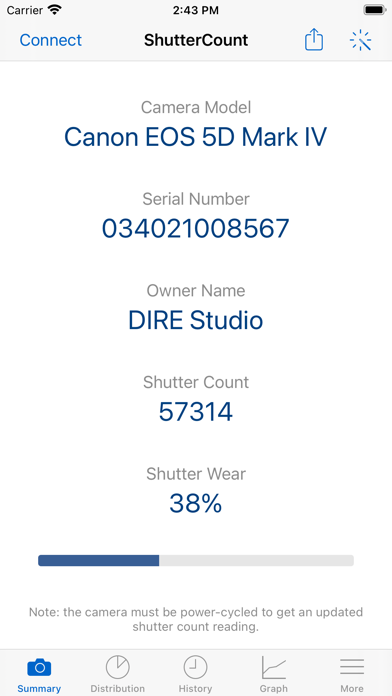
Ratings
3.3 / 5
65 ratings
- 5 ★34%
- 4 ★26%
- 3 ★12%
- 2 ★9%
- 1 ★18%
Recent Reviews
- ★★★★★StMichel
It works but your wallet suffers
Ignore the WiFi instructions. Turn your phone’s hotspot on and connect to that with your camera. Then it will work. I’m giving this app 2 stars because $9.99 for a single use app is robbery.
- ★★★★★Jazovacs
False advertising
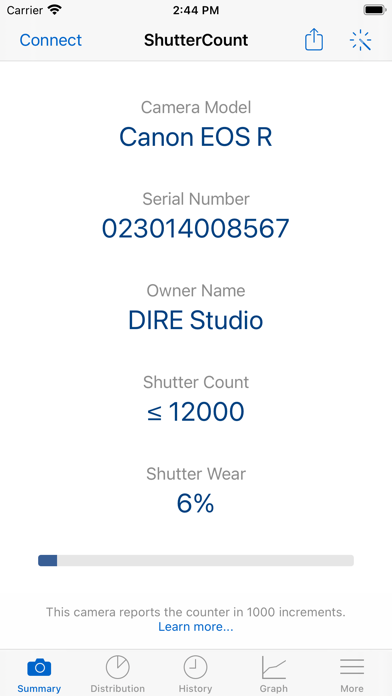
The photos of the app supplied by the developer show exact shutter count of his Canon 5D Mark IV. ShutterCount Mobile only provides shutter count in increments of 1000 with my Canon 90D. Shutter wear percentage is useful, but a ballpark shutter count is not worth $9.99. Hard pass!
- ★★★★★Neon321t
Poor product
Very poor compatibility issues, especially for the price. I’d expect this level of quality from a free app.
- ★★★★★sdcd7323
Shutter Count on my 7d mark ii
This actually worked great for me and my friends camera!
- ★★★★★DYFN63
Limit use
Only give increments of 1000 on Canons! Not a lot of use...
- ★★★★★Sudkalap
Piece of cake
1. Take 2 ended usb-c cable 2. Hook one end to your mirrorless camera 3. Hook other end to your I-pad 4. Pop open your app. Vola!
- ★★★★★Tennis Jim
It doesn’t work
AND the support is nonexistent. It’s a waste of time and money!
- ★★★★★oldtimer1953
Worthless!
Never got it to sync with my Canon 70D and it’s not worth a penny if you have to search the web for faq…waste of $9
- ★★★★★Hiphop714
Works perfectly fine without issues
Sure, it may be a little awkward trying to figure out how to used it but once you get it you have an “ohhhhh duhhhh” moment. Don’t let other peoples incompetence fool you into believing it’s a bad app. Because it’s not. I’ve used it on 5D mark iv, R6 and R6 mark ii. No issues on any of those. At all. Ever. The app does what it’s advertised to do and more, if you want to pay the extra premium. Get it, no regrets.
- ★★★★★fufdyfhx
It’s hard but it will work
I’ve spent more than 2 hours between my desktop and my mobile phone it took me 30 mins to figure it out connect to your WiFi from the camera and press connect on the app it will work I promise I know you might think it’s a scam but it’s not