
Downloads / mo
2.9K
Range 1.1K–7.2K
Revenue / mo
$13.5K
Range $5.4K – $33.6K
RPD
$4.69
Revenue per download
Avg. DAU
7K
Daily actives
Time Spent
38 min
Per user / day (est.)
Session Count
483.1K
Monthly (est.)
Category Ranking
100+
Entertainment · US Today
Top Countries
US · India · Brazil
By est. downloads share
Downloads Trend
30.6K12-mo total
Monthly avg 2.6K
Revenue Trend
$143.8K12-mo total
Peak Jul ($15.3K) · amber bar = best month
Release Details
- Current Version
- 3.13.0
- Last Updated
- 2/12/2025
- Release Date
- 7/21/2016
- Minimum OS
- 13.0
- File Size
- 61.0 MB
- Content Rating
- 17+
- Languages
- AR, EN, FR, DE, JA, KO +4
Description
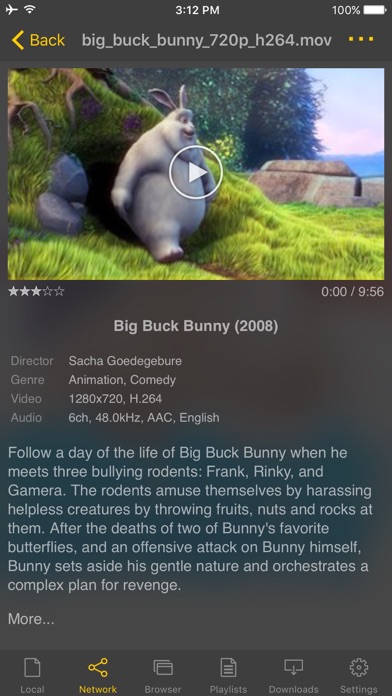
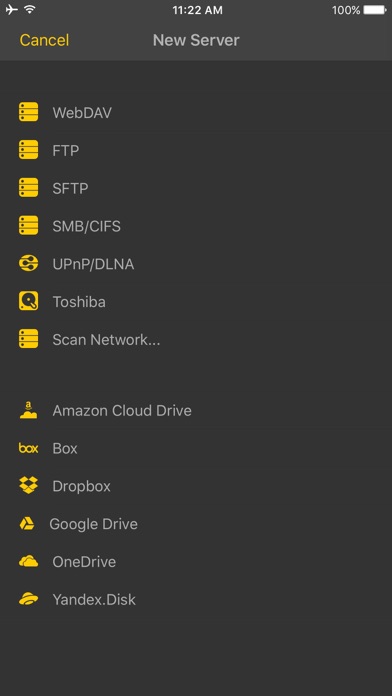
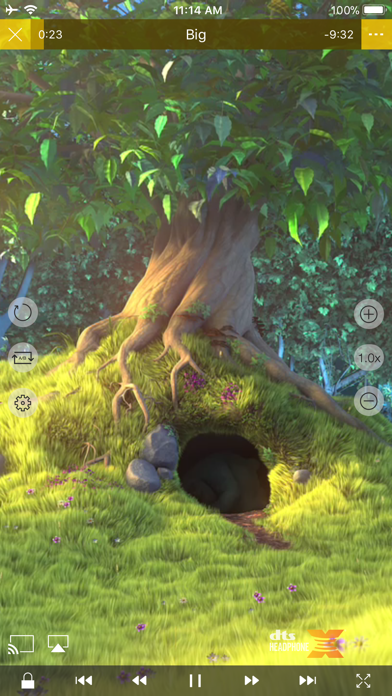
** nPlayer officially supports DTS (DTS HD ), DTS Headphone:X. ** nPlayer supports Dolby (AC3, E-AC3). ** nPlayer is the universal app. You can install it in any other iOS device without additional purchase. - You don't need to convert video files to MP4 to play them in your mobile device. nPlayer enable you to play all kinds of video formats and codecs without file converting efforts. - You don't need to store video files in your device with limited storage space. nPlayer's powerful and various network technologies will help you to stream them from remote devices. - With your finger tip, you can adjust playback position, move to previous and next subtitle position, adjust location and font size of subtitles, control volume and brightness. - Experience nPlayer, thousands of users recommendations. * Features - Supports officially DTS audio codec (DTS HD) - Supports Dolby audio codec (AC3, E-AC3) - Supports iXpand Drive - Supports Chromecast - Supports video cast for Smart TV - Supports HDMI output - Supports video files : MP4, MOV, MKV, AVI, WMV, ASF, FLV, OGV, RMVB, TP etc. - Supports audio files : MP3, WAV, WMA, FLAC, APE etc. - Supports subtitle files : SMI, SRT, SSA, IDX, SUB, LRC, SUP, MLP2 etc. - Supports image files : JPG, PNG, BMP, GIF, TIFF etc. - Supports playlist files : CUE, M3U, PLS - Supports WebDAV, FTP, SFTP, HTTP, SMB/CIFS, NFS - Supports UPnP/DLNA (supports subtitles if DLNA server provides subtitles information.) - Supports cloud service (Box, Dropbox, OneDrive, Yandex.Disk) - Supports in-app web browser - Supports iTunes video/audio play (except for DRM contents) - Supports videos and pictures in Album - Playback speed control : 0.5x ~ 4.0x - Resume playback - AB repeat(specific section repetition) - Screen lock - Supports AV1/HEVC/H.264/MPEG4 Hardware acceleration - Supports 3D video mode - Screen flip horizontally, vertically. brightness and saturation control - Aspect ratio : Default, 1:1, 3:2, 4:3, 5:3, 16:9, 1.85:1 etc - Supports multi-track audio - Supports audio boost - Supports audio sync - Supports lyrics display - Supports Dolby, DTS HDMI Bitstream (Passthru) - Supports embedded subtitles - Supports multi-track subtitles - Supports user’s selection of subtitle files - Supports addition of optional subtitle files while playback - Supports subtitles font, color, shadow, outline customization - Supports subtitles sync - Supports external subtitle fonts - Supports SAMI(SMI) tag - Supports SSA/ASS with full styling, embedded subtitles - File management : Delete, Move, Rename, Create a folder - Playlist management : Add, Delete, Modify - Supports recently played list - Folder lock - Supports Open-in - Supports UI theme * Gesture Features - Tap : Menu - Double tap : Pop-up play - Drag horizontally : Playback position adjustment - Drag vertically on right half of the screen : Volume control - Drag vertically on left half of the screen : Brightness control - Pinch on the screen : Screen size adjustment - Drag horizontally on subtitle text : Move to previous/next subtitle text - Drag vertically on subtitle text : Subtitle position adjustment - Pinch on subtitle text : Subtitle font size adjustment - Supports finger gesture customization
Screenshots(5)
View on store ↗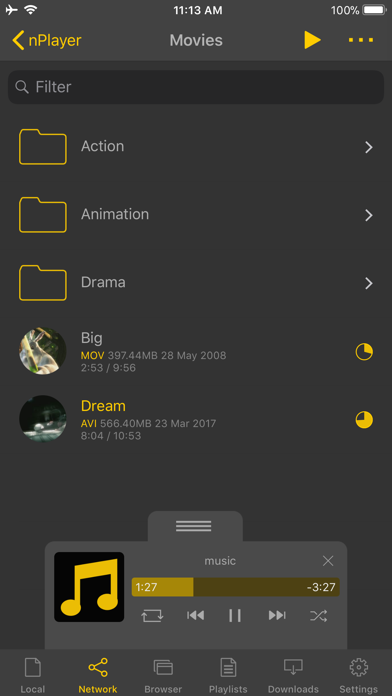
Ratings
4.7 / 5
1,905 ratings
- 5 ★86%
- 4 ★6%
- 3 ★3%
- 2 ★2%
- 1 ★3%
Recent Reviews
- ★★★★★Update it need work
Bug report
When an action movie is playing on the iPad Pro 3rd generation m1, the screen goes completely dark for a moment and then returns to the previous state. I tested it and this problem is only in the nplayer app.
- ★★★★★BnBvBaB
No upgrades
I’ve bought nPlayer paid version for $4.99. For me there are not enough features. Usually, in this case, but another application, you pay additional money and get upgraded application, higher level. In this application there is no this option. You have to buy another application, nPlayer Plus in my case. So what for I need 2 same application, otherwise I wast $4.99 for nothing! No good
- ★★★★★Danny HTX
Better than VLC
I was a linguine VLC user across all platforms beforei found this app. This is so good, absolutely the best for video and audio.
- ★★★★★TimD1967
Love it but
The project feature seems to be missing now.
- ★★★★★ProfessionalCritic19
DOES NOT SUPPORT DTS HEADPHONE X
If you want something like this get the plus version otherwise pretty good
- ★★★★★SuckeredByItunes
Okay
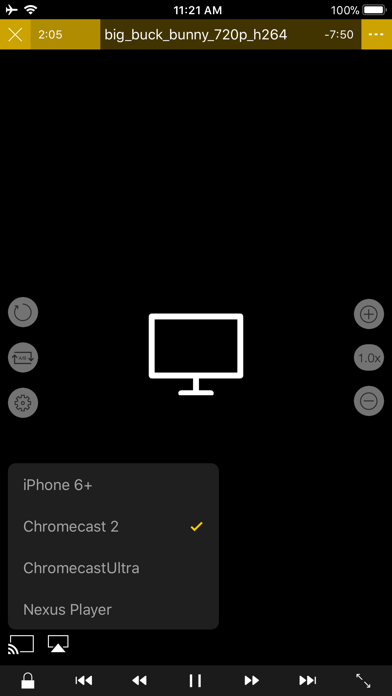
Overall I like it, but it only supports chromecast for audio, not video. If you try to cast a video to the tv only the sound plays to a blank screen It also does not handle MOV_TEXT subtitles correctly. The html codes are visible on screen And finally, there is no sleep timer
- ★★★★★0x2,.421.
No support
No support. Can’t even import a subtitle file. Tries to load opensubtitles.org, for some reason, which is a garbage website full of malicious links and redirects.
- ★★★★★batteryone
Cannot play next music when play via samba
After play a track then stop, not play a next track
- ★★★★★kkllbd
长按倍速功能
大多数视频网站都支持长按倍速,已成为使用习惯,期待支持此功能
- ★★★★★JaredCline
WebDav Server? Where Is It Now? Shows it on Webpage....?
I've been using this app on Android and iPhone For a long time, and I like how it resolves the media with the metadata from TMDB, but I also know that there used to be a WebDav Server, it even shows it online on the website under UI/UX photo. Where does that one exist at? I like the looks of that one.