
AutoPad — Ambient Pad Loops
Ryan Robinson · App ID: 1270890718
Downloads / mo
289
Range 116–723
Revenue / mo
$1.7K
Range $684 – $4.3K
RPD
$5.89
Revenue per download
Avg. DAU
803
Daily actives
Time Spent
41 min
Per user / day (est.)
Session Count
55.4K
Monthly (est.)
Category Ranking
100+
Music · US Today
Top Countries
US · India · Brazil
By est. downloads share
Downloads Trend
2.9K12-mo total
Monthly avg 244.5
Revenue Trend
$17.3K12-mo total
Peak Jul ($1.7K) · amber bar = best month
Release Details
- Current Version
- 1.10.2
- Last Updated
- 12/1/2022
- Release Date
- 9/4/2017
- Minimum OS
- 12.0
- File Size
- 35.9 MB
- Content Rating
- 4+
- Languages
- EN, PT, ES
Description
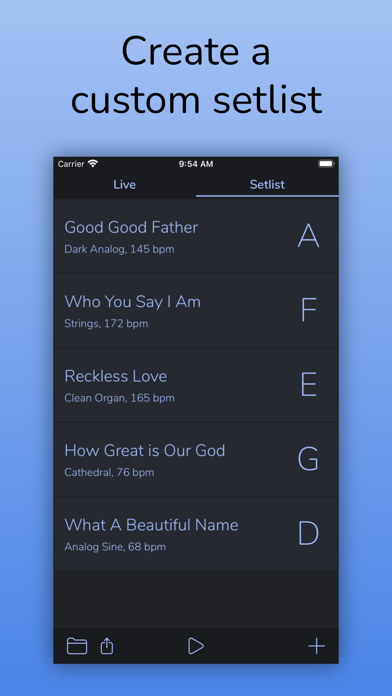
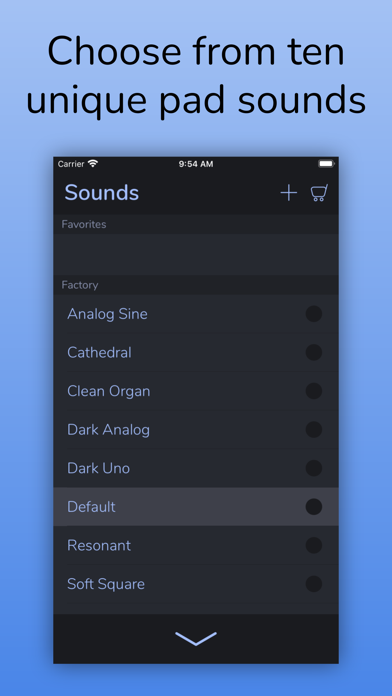
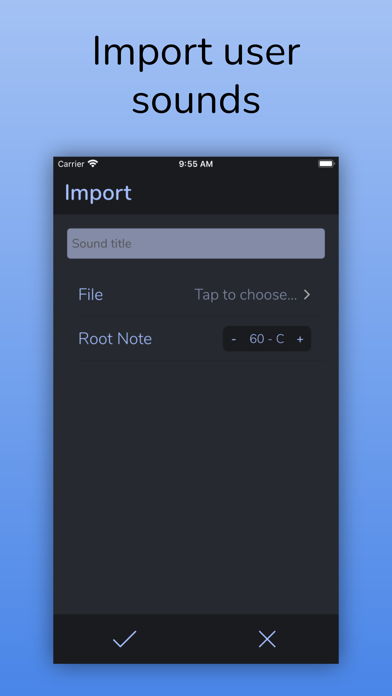
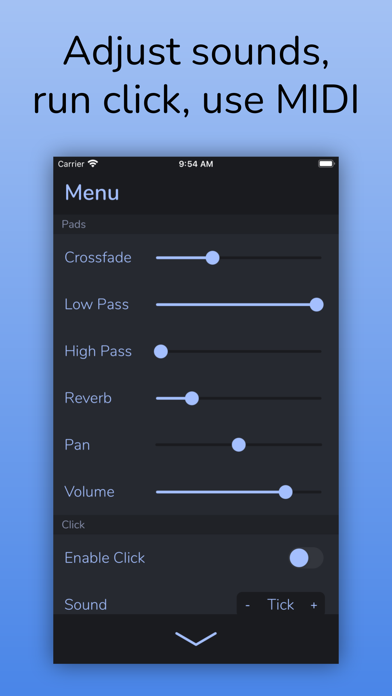
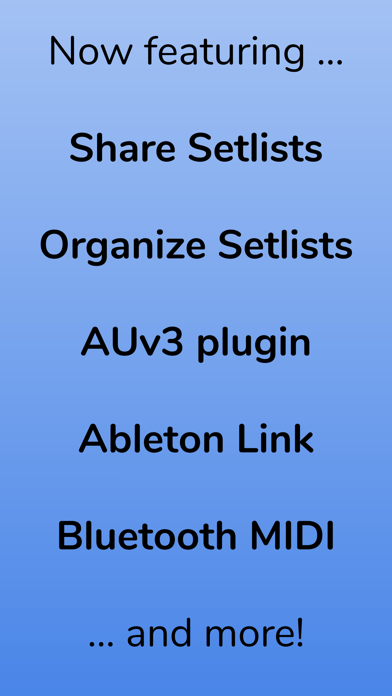
AutoPad is the easiest way to bring ambient pad loops into your mix! AutoPad generates atmospheric drone sounds that lend subtle structure to your live performances and recordings. Simply tap a key, and AutoPad will provide a tasteful soundscape that plays for as long as you like. Natural crossfades between keys are handled automatically. Features: - Perform with ease. AutoPad has two modes: Live mode gives you instant access to all twelve keys, and setlist mode lets you build a custom list of songs. - Set the mood. AutoPad comes with 10 carefully designed pad sounds. Each one creates a unique atmosphere in all 12 keys. - Expand your library. You can add to the factory sounds by importing your own pads or by purchasing one of the in-app sound packs.* - Shape your sound. AutoPad's menu gives you control over crossfade time, high-pass and low-pass filters, reverb amount, pan, and volume. - Easy on storage. AutoPad's seamlessly looped sample-based drones contain just what you need to provide a pleasing atmosphere and don't take up excessive space on your device. - Stay in sync. AutoPad features a customizable metronome with a dedicated pan control. Keep your band locked in without needing to lug around a tracks rig. - Deep MIDI Control. AutoPad's MIDI Actions menu makes it easy to customize how AutoPad responds to your MIDI controller. - Use with other apps. AutoPad comes with a fully-featured AUv3 plugin! Run AutoPad alongside other music apps in your favorite AUv3 host. - Now on the Mac. AutoPad runs on macOS! You can use AutoPad as a standalone app or as an AUv3 plug-in in a compatible host. Both Intel and M1 Macs supported. - Go Wireless. Ableton Link lets you stay in sync with other devices on the same Wi-Fi network. AutoPad also supports Bluetooth MIDI controllers and AirPlay audio. - Share with friends. Make sure your band is all on the same page by easily sharing setlists with AirDrop. - Stay organized. AutoPad lets you save and recall setlists with a simple setlist manager. - Looks great. AutoPad features a dark color scheme that is easy on the eyes and performs well on the stage. Note on use: AutoPad sounds great in a variety of contexts, but please make sure you understand the intended use before purchase. AutoPad's sounds are designed to be played softly and continuously behind live musicians. They include the root, fifth, and octave. As such, they can be used in a major or minor context. When using AutoPad in worship music, it is not necessary to change the pad with each chord change. For example, if you have a song in the key of E, you can play a pad in E for the duration of the song. View Manual: https://www.audiosymmetric.com/manuals.html View Tutorials: https://www.youtube.com/channel/UC9Uka-nFom-pgTB-DftgDvA * While files of any length can be imported into AutoPad, due to realtime memory restrictions, AutoPad loads a 3.5 minute subsection of files longer than four minutes. A short fade is applied to eliminate pops. See manual for details.
Screenshots(6)
View on store ↗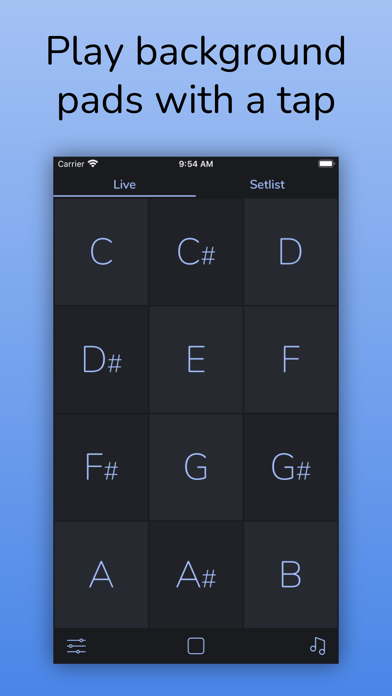
Ratings
4.4 / 5
170 ratings
- 5 ★83%
- 4 ★6%
- 3 ★3%
- 2 ★2%
- 1 ★6%
Recent Reviews
- ★★★★★henrypofc
Almost perfect
It just needs a quicker way to adjust the volume and tempo of the metronome and the ability to pan the metronome and pads to opposite channels, that way we can use metronome in the in-ears only and pads to FOH.. please add this simple update and it will a 5 star app!
- ★★★★★Randy77789
ADD IT TO APPLE TV plz
I love this app, I use it every time I play at any given church - ranging from 90 to 300 ppl
- ★★★★★jrtxun
I use it weekly
I use it as pads under an acoustic guitar for youth worship. We use MultiTracks in our main service, but their default pad is boring and additional pads are expensive, so I wanted something else for youth. I bought this and the sound packs and brought in some others as well (AeroSpace Audio), all for a reasonable amount. Setting it up for midi with an MPD218 was a game changer and made it even easier to use. I do have a few improvement suggestions (mostly regarding midi) if the developer is ever interested.
- ★★★★★tonysendthis
MIDI
I’m not sure about the midi I can’t find a way to connect with my piano I’ve tried Bluetooth and wired and still don’t seem to get a response I will be glad to get a feedback if I am doing anything wrong.
- ★★★★★synthdude
Love this app!
I have been using this app for a long time now and really appreciate the developer creating this! It is even more useful to me now that I can use it on my iPad Pro! Keep up the great work and look forward to seeing some new features!
- ★★★★★Christian from Calvary
This is the one
I switched over to this from Multitracks. This app does all the right things. Nice big buttons if you just want a simple layout for ambient pads, or build an actual set list with the ability to specify the metronome tempo, the key, and the specific type of pad for each song. You can import custom pads, which I did because I had some that I had purchased from Multitracks, but I don’t use them because the supplied AP pads are actually better. A small and overlooked feature that I appreciate is that when going from one song to the next, this app lines the click tracks up with one another (unlike Multitracks), which is helpful if you do a key or time change in the middle of a song and you need to keep the metronome going. One missing feature I would love is the ability to save individual songs instead of just the set lists, that way I can just build each song in once and then build my set list quickly each week by selecting songs from my song library.
- ★★★★★Kevin Wayne Berger
Set List Idea
This app is exactly what our church needs and may God bless its creators! I have two ideas for the set list interface: 1 It saves set lists, so it would be great if you could move songs throughout the different lists saved or add a song already included in a list to one that you’re currently creating. 2 Some context: I’m the drummer and am controlling this app. When we complete the first song, we have announcements and such before we continue with the other songs. It would be nice to switch to the next song without hearing the click while also listening to the announcements or speakers. There are also times where we may want to the click before the pad is introduced. I think two buttons across the bottom of each song - one for “click only” and one for “pad only” would give us the freedom to pick; we can have the click introduced first before the pads, have the pads without the click when needed, and then just touch the applicable song name to have the both play. Just some things that might be useful to others as well. Otherwise, this app is a great find for us!
- ★★★★★TinEye33
Was perfect - just broke
This was a multiple times a week use for me, literally the perfect app, exactly what I was looking for. Until it just stopped working. Click still works, but i get absolutley no pads anymore. Hoping there's a fix for this.
- ★★★★★calvinonaip
Great pad for worship & Much more
Just get it if you’re on the fence. Maybe you’re like me and won’t use it every day…but when I need it on the fly, I am sooo glad I have it. One-click, and I have a pad running…It’s the best simple, reliable, and good-sounding stock Pad sound app that I’ve had. And it keeps getting updates. Fantastic. I’m a huge fan of the click options and am likely to use the MIDI options in the near future! It even has an option to change the tuning frequencies; I like playing around with 432 hz personally. Easily 5-Stars! Props to the developer 🙌
- ★★★★★Joe123243836373
What types of files import?
I try and send my friend a mp4 and he says it’s not working. I have an iPhone he has an andrioid. Do I need to convert it to a mp3?