
Epson Smart Panel
Seiko Epson Corporation · App ID: 1477796092
Downloads / mo
886.3K
Range 354.5K–2.2M
Revenue / mo
$1.6M
Range $638.1K – $4M
RPD
$1.80
Revenue per download
Avg. DAU
1.6M
Daily actives
Time Spent
11 min
Per user / day (est.)
Session Count
107.3M
Monthly (est.)
Category Ranking
#35
Photo & Video · Downloads
Top Countries
US · India · Brazil
By est. downloads share
Downloads Trend
9.3M12-mo total
Monthly avg 772.2K
Revenue Trend
$16.7M12-mo total
Peak May ($1.7M) · amber bar = best month
Release Details
- Current Version
- 5.3.0
- Last Updated
- 4/27/2026
- Release Date
- 3/31/2020
- Minimum OS
- 16.0
- File Size
- 164.3 MB
- Content Rating
- 4+
- Languages
- AZ, BE, BG, CA, HR, CS +39
Description
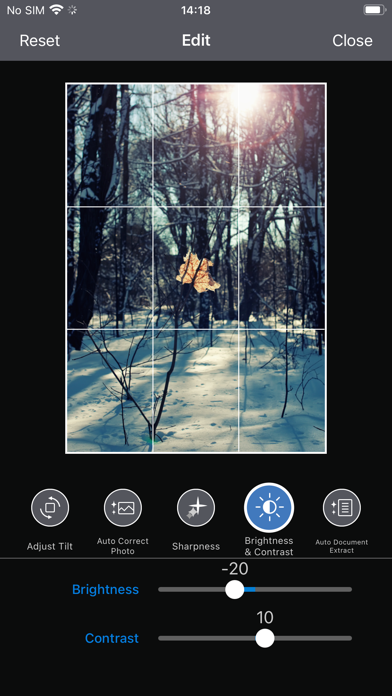
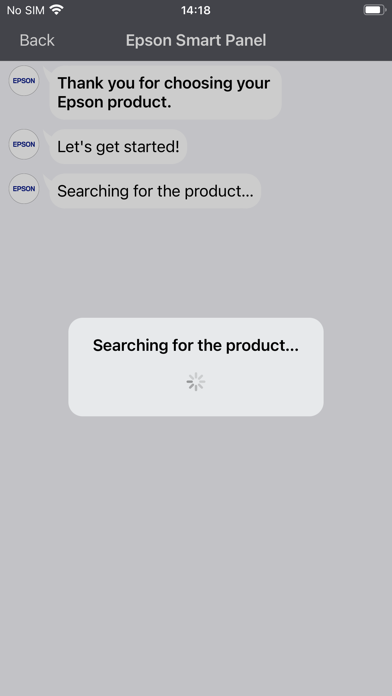
Visit the website below to find products which are supported by this app. When using a printer or scanner that’s not listed on the website, please use instead Epson iPrint for printers or Document Scan for scanners. Epson Smart Panel will not be able to find or connect to your product unless it’s on the website’s list of supported products. https://support.epson.net/appinfo/smartpanel/guide/en/ High performance, easy-to-use mobile command center for your Epson wireless printer or scanner1. Easily set up, monitor and operate your Epson product from the convenience of your mobile device with this powerful new tool. - Easily set up your Epson product on your Wi-Fi - Innovative action tiles make your Epson Product simple and quick to use - Fits like a glove -- auto configuration and customization tailors the experience - Receive the support you need - register, get supplies, or find help all in one convenient place - One interface for your Epson Printers and Scanners -- auto configuration tailors the app's functions to your device. 1. Requires Epson Smart Panel app download and a compatible smart device. Data usage fees may apply. For more information please visit www.epson.com for support.
Screenshots(3)
View on store ↗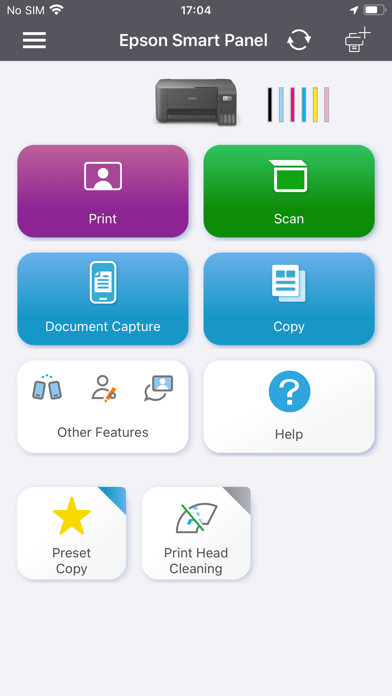
Ratings
4.7 / 5
370,354 ratings
- 5 ★91%
- 4 ★4%
- 3 ★2%
- 2 ★1%
- 1 ★3%
Recent Reviews
- ★★★★★#1Mr. Right
Epson ET-2988
Had the printer for about 2 weeks so far working great. Hopefully I can give you a 1 year review
- ★★★★★RZ9413
A pain to keep operating
Continuously have to reload printer and paper specs, and reconnect to my home network.
- ★★★★★aretha310
Dark
Very disappointed in this printer, the pictures that are printing out are not clear and very dark
- ★★★★★iamnotalone
Epson fan
My last printer was an HP less than 1 1/2 years old. It was great (at first). Then a printer head alert happened. No repairs close by but they would allow me to buy a new plan for researching my issue then charge me more to actually have it repaired. The Epson was highly recommended to me and I love it.
- ★★★★★Allmevisuals
Quick setup
Very fast and easy
- ★★★★★Epson Eco-Tank Junk
Epson Et-4810
App seems ok, this brand new $250 printer is a dud😡 No matter what you try the printer only prints out a BLANK sheet!!!
- ★★★★★Perfect for everyday use
I live my printer
This printer is great for every day use and so simple to use and explore with the display face on front of the printer as well as the app… we use it to print off all our homeschool work and curriculum and it is so perfect
- ★★★★★fabisnbarela
Horrible Printer
Absolutely the worst printer for travel work, never easy to hook up and print, WiFi is constantly cutting out and using the app makes the print job worse
- ★★★★★fixmacafee
Extra step
I Reset my Epson 18 4850 printer and since then I can only print if I go to the app on my phone and then print second step that I really don’t need to do
- ★★★★★ralph epstien
This product sucks
Customer support doesn’t help. WiFi connectivity is very unstable.