
Accounts 3 Checkbook
SVT Software · App ID: 1638551535
Downloads / mo
11.6K
Range 4.6K–29K
Revenue / mo
$56.7K
Range $22.7K – $141.7K
RPD
$4.89
Revenue per download
Avg. DAU
9.4K
Daily actives
Time Spent
5 min
Per user / day (est.)
Session Count
651.2K
Monthly (est.)
Category Ranking
100+
Finance · US Today
Top Countries
US · India · UK
By est. downloads share
Downloads Trend
123K12-mo total
Monthly avg 10.3K
Revenue Trend
$601.9K12-mo total
Peak Jun ($61.3K) · amber bar = best month
Release Details
- Current Version
- 3.11
- Last Updated
- 2/6/2025
- Release Date
- 8/20/2022
- Minimum OS
- 14.0
- File Size
- 10.6 MB
- Content Rating
- 4+
- Languages
- EN, FR, DE, IT, PT, ES
Description
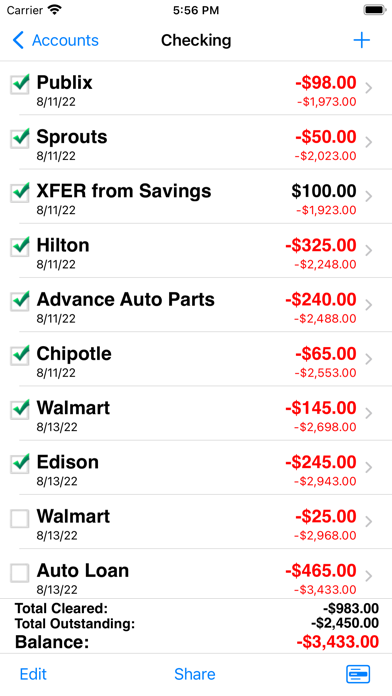
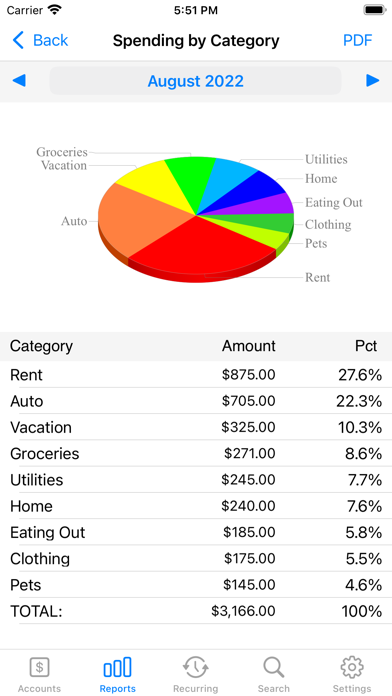
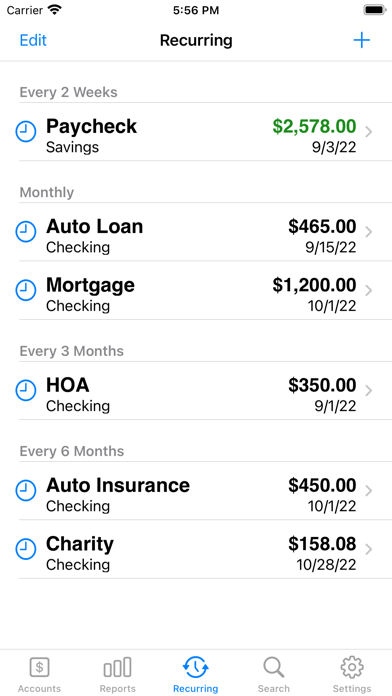
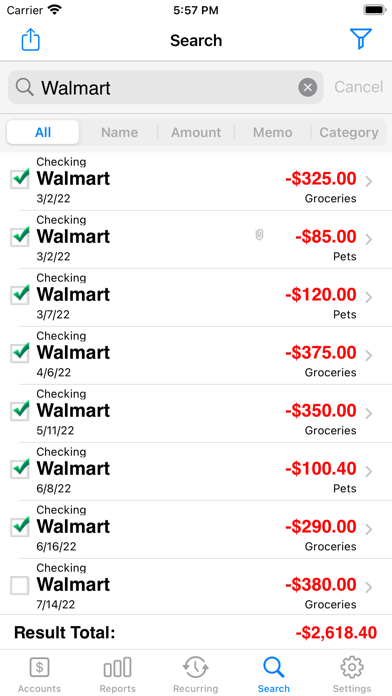
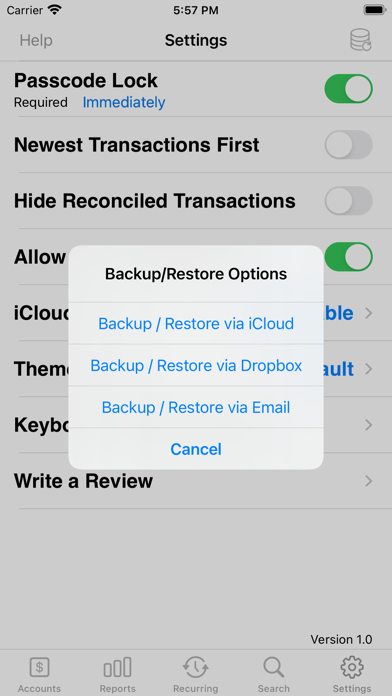
Top Selling Checkbook App Accounts 3 is an easy to use application to replace your paper checkbook. With the Accounts 3 application, you will have a quicker and more convenient way to track your daily finances. You can schedule transactions, transfer funds, capture photo receipts, reconcile, view reports, export data, print, and much more. All features of the Accounts 3 app are designed to be quick, clean, intuitive, and easy to use. FEATURES * Touch and Face ID Support Use Touch or Face ID to authenticate and launch the app quicker and more conveniently. * Sync Data via iCloud Sync your data across iPhone, iPad, and iPod Touch devices * Universal Binary Designed for iPhone, iPad, and iPod Touch devices. No need to buy separate apps for each device. * Graphs and Reports Review your monthly income vs. expense, spending by category, or income by category summaries with beautiful graphs and reports. * Photo Receipts Capture and store photo receipt as part of a transaction. * AirPrint Support Print reports directly from your iPhone or iPad to any AirPrint-enabled printer. * Recurring Transactions Schedule transactions to repeat weekly, biweekly, monthly, semimonthly, quarterly, biannually, or yearly on a start date that you choose. * Split Transactions Split a transaction among several categories for more precise tracking. * Search Quickly search for transactions and edit them from the same screen or export your search results. * Reconcile Transactions Reconcile by checking off cleared transactions and comparing the actual and outstanding balances against a bank statement. * Smart Autocomplete As you type, a list will show you your previously entered descriptions and corresponding category. Selecting an entry from the list will fill both fields of the transaction. * Auto-increment Check # Field Accounts 3 will suggest the next check number for you based on the previously entered number. If you replace your checkbook, just enter the new starting number and Accounts 3 will auto-increment from there. * Transfers Make a one-time transfer between accounts or set up recurring transfers to automatically repeat. * Export in CSV, QIF & HTML Formats Export transactions via email attachments for used with desktop applications such Numbers, Excel, or MS Money. * Customization Settings & Themes Configurable settings and themes to customize the Accounts 3 application based on your preferences. Themes are now also available in dark mode. * Transaction Sorting/Hiding Sort transactions by date in either ascending or descending order. You can also hide reconciled transactions to keep your current list from being cluttered. * Accounts Reordering Reorder your accounts from the account list in any order you choose. * Accounts Delete Lock Prevents accidental deletion of all the transactions under an account. * Backup / Restore Backup your data for safekeeping via iCloud, Dropbox, or email. Then restore it to your device whenever you need to. * Passcode Security Keep your accounts information private. * FREE Accounts 3 Lite version Please download the Accounts 3 Lite version to try before you buy.
Screenshots(7)
View on store ↗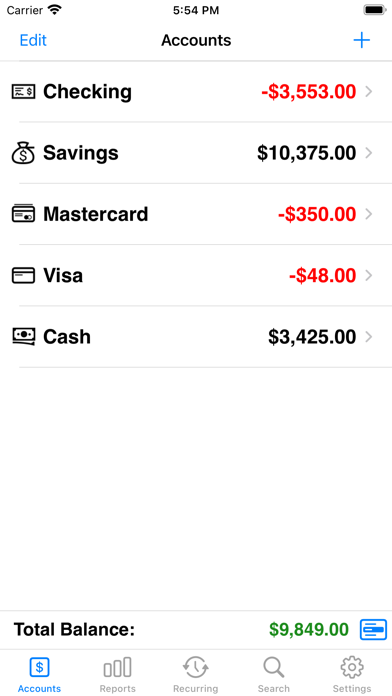

Ratings
4.5 / 5
2,996 ratings
- 5 ★84%
- 4 ★6%
- 3 ★3%
- 2 ★2%
- 1 ★5%
Recent Reviews
- ★★★★★Wilsons235
Amounts
The large # screen with the decimal pt isn’t showing anymore. You have even have to put the decimal in, it doesn’t automatically show!! This needs to be fixed or I’m leaving after many years of using this app.
- ★★★★★MinnaOne
PROBLEM POSTING RECURRING TRANSACTIONS
I like this app a lot and sure appreciate that it’s inexpensive. I only need a basic transaction register, and this fits the bill very well. My only issue has to do with posting recurring transactions. I like to post all for each month on the first, which gives me an overview heads-up of what I’ll have left over for the month. But when I manually post the recurring transactions ahead of schedule, the date changes to today’s date instead of the date they’ll go through. Hoping you can fix this to keep the date it’ll happen on and not change to current date. Then it’d be a five-star app!
- ★★★★★frogger5376589
Sync
I like this app layout etc. BUT IT FAILS TO AUTO SYNC. Second time in 3years I’ve lost all my data and had to struggle to refill the data into the app BELIEVE ME THAT SUCKS
- ★★★★★Marieismyrealname
Recurring Cycle
Is there a way to add additional cycle options for recurring charges? For example 5 months.
- ★★★★★Cassius!
Help!
I must have accidentally deleted an entire account. Is there anyway you can recover it? I did not have the backup feature on.
- ★★★★★JMT619
Recent Error - Worked Perfect for Years
Started on a recent update with Accounts 2, figured I’d upgrade to Accounts 3 to see if it was fixed but it is not. Every time I go into the app, click my credit card account, hit the plus on the top right, it kicks me back to the main page rather than going into an entry screen. I then have to go back in to get it to work.
- ★★★★★Bretta717
Love app; but…
Love the app but it is missing 2 critical things. 1. The reoccurring expenses ONLY push to the account screen the day they are due. There should be a setting to manage this. To get an accurate view of how many bills are left to pay you have to renter them into the account. Makes reoccurring pointless! 2. The ability to push a reoccurring to accounts without having to change the date. And even if I change the date to today to get them to accounts; 90% of the time that doesn’t work. Even logging out and back into the app.
- ★★★★★Life in the mountains
Love the app
I really love this app and have used it for years. However, I need to transfer my data to a new device and it won’t sync due to my new device not using the same Apple account I had on the old device. The email option wants me to set up an email in settings but is not very descriptive about the process. I have an email associated with my account but obviously it is not in the correct place. Is there any other way to transfer the data?
- ★★★★★AO-MN
Email Alert Every Transaction
I loved this app but now every time I enter a transaction it asks if I want to send an email. It’s super frustrating and I can’t figure out how to shut it off
- ★★★★★LS198354
Need help
I paid for Accounts 3 and I can't get the export data function to work. I reconciled my checkbook like usual. My email is correct, the dates are correct, and I requested both reconciled and all transactions to be emailed but no email was sent. Please advise. I have used this function for several years.