
Color Splash
Pocket Pixels Inc. · App ID: 304871603
Downloads / mo
5.6K
Range 2.2K–13.9K
Revenue / mo
$17.8K
Range $7.1K – $44.5K
RPD
$3.19
Revenue per download
Avg. DAU
27.1K
Daily actives
Time Spent
11 min
Per user / day (est.)
Session Count
1.9M
Monthly (est.)
Category Ranking
100+
Photo & Video · US Today
Top Countries
US · India · Brazil
By est. downloads share
Downloads Trend
55.6K12-mo total
Monthly avg 4.6K
Revenue Trend
$177.6K12-mo total
Peak Feb ($17.3K) · amber bar = best month
Release Details
- Current Version
- 3.14
- Last Updated
- 9/20/2024
- Release Date
- 2/15/2009
- Minimum OS
- 15.6
- File Size
- 37.7 MB
- Content Rating
- 4+
- Languages
- EN, FR, JA
Description
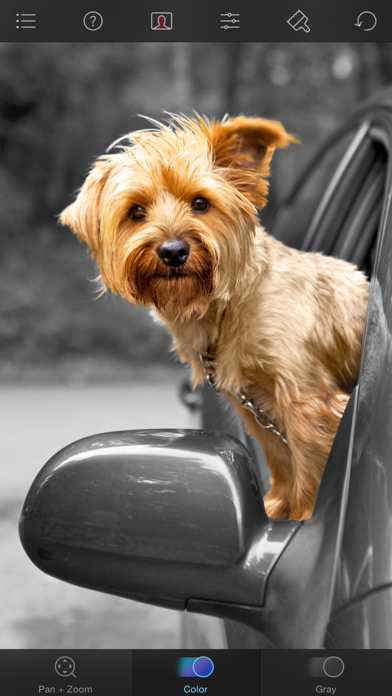
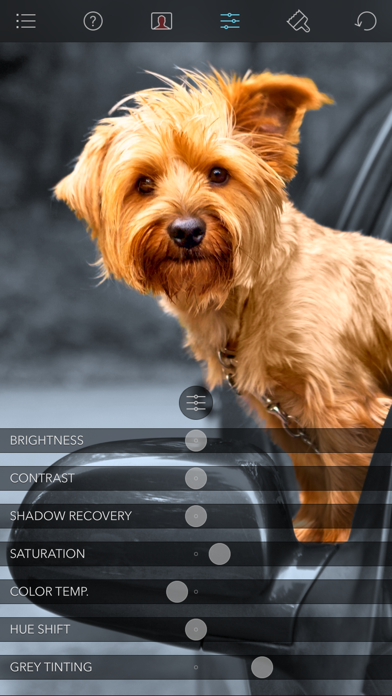
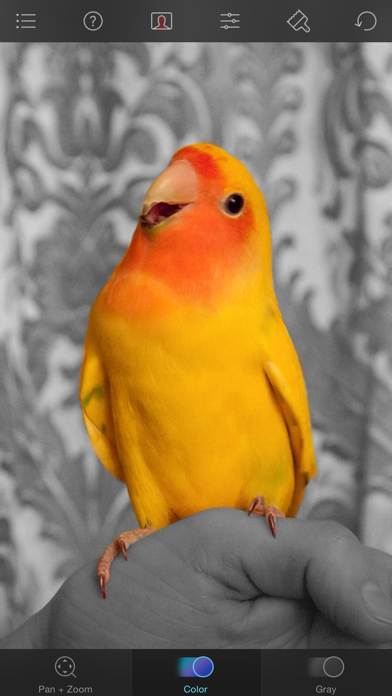
Color Splash lets you give photos a dramatic look by converting them to black and white, while keeping your chosen details in color. This effect draws the viewers' attention to the colored areas, creating striking images. The intuitive and responsive multi-touch user interface makes Color Splash amazingly easy and fun to use. Use your finger as a brush to "paint" sections of your image black and white, or to bring back the original color. Zooming in and out using the two-finger pinching gesture allows you to work on details with pixel-accuracy. Features: - Short tutorial videos explain the use of all features and will have you editing your images in minutes. - Choose photos to edit from your iPhone photo library or from Dropbox or Flickr. - Save multiple sessions to resume your work later. - Email your creations to friends, share them on Flickr or save them to your Dropbox. - Undo any number of accidental brush strokes. - An alternative view mode highlights the regions that will remain in color with a red tint. This makes it easier to see and adjust the boundaries between color and black & white regions. - Choose from 4 different brushes (hard or soft edged, opaque or transparent) and adjust the brush size. - Hide the toolbars in full screen mode.
Screenshots(4)
View on store ↗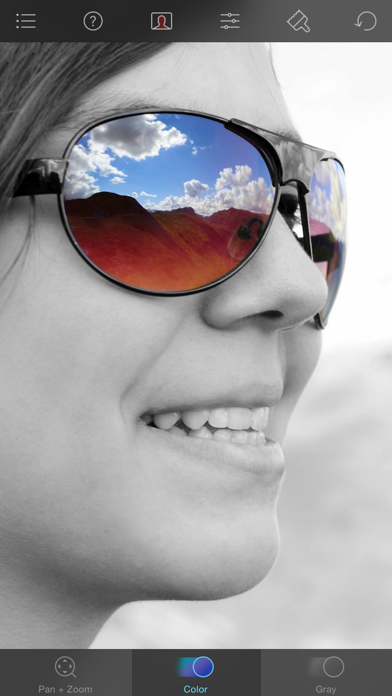
Ratings
4.9 / 5
6,459 ratings
- 5 ★83%
- 4 ★8%
- 3 ★4%
- 2 ★3%
- 1 ★2%
Recent Reviews
- ★★★★★Deadaphids
Terrific!
This is just about the best and easiest to use app of its type. So much fun!
- ★★★★★Kdvillines
One Thing Really Well
This app does one thing and it does it exceptionally well. The upfront nominal charge is well worth the price. The developers thought about the process required to achieve the end results. As such, the operations, tools, and visual aides provided work perfectly. It’s a pleasure to use.
- ★★★★★"shelly"
LOVE!
I’ve been having fun with this app for at least 7 years.
- ★★★★★Dannyono25
Love this App!!
Love this App.. Super easy to use and a must have for any photographer at any level.
- ★★★★★drkhanasif
Wonderfully unique
First time i didn’t fully grasped how it worked and i rated poorly but my apologies Now I know better and it is great Start with very colourful photo and if you like only replace any parts with black That may look some artistic
- ★★★★★Jules from MI
Thanks
I’m a total beginner. But I’m enjoying what I’m accomplishing and I hope I learn a lot more.Thanks
- ★★★★★The3dg
Lame
No selection tools. No portrait tools.
- ★★★★★Brujo66
Excellent
Excellent
- ★★★★★Sammysgranny
Great!
Fun to use; works very well, especially with patience for taking care of the details!
- ★★★★★DebTX.
Awesome way to accent photo subjects
Thank you for this app! Not only I can use it for photo fun, but I can send photos to friends to show which person or thing or area to look at in the photo.