
HomeBudget with Sync
Anishu, Inc. · App ID: 306257910
Downloads / mo
1.1K
Range 434–2.7K
Revenue / mo
$5.3K
Range $2.1K – $13.3K
RPD
$4.89
Revenue per download
Avg. DAU
4K
Daily actives
Time Spent
5 min
Per user / day (est.)
Session Count
272.6K
Monthly (est.)
Category Ranking
100+
Finance · US Today
Top Countries
US · India · UK
By est. downloads share
Downloads Trend
10.7K12-mo total
Monthly avg 893.1
Revenue Trend
$52.4K12-mo total
Peak Jul ($5.7K) · amber bar = best month
Release Details
- Current Version
- 3.6.5
- Last Updated
- 5/14/2026
- Release Date
- 2/27/2009
- Minimum OS
- 15.6
- File Size
- 19.0 MB
- Content Rating
- 4+
- Languages
- EN, FR, DE, IT, JA, RO +5
Description
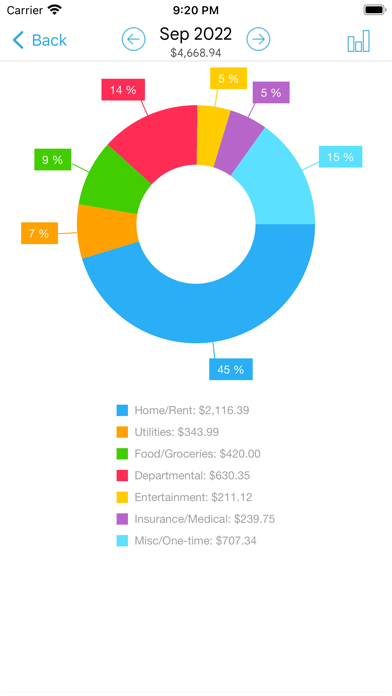
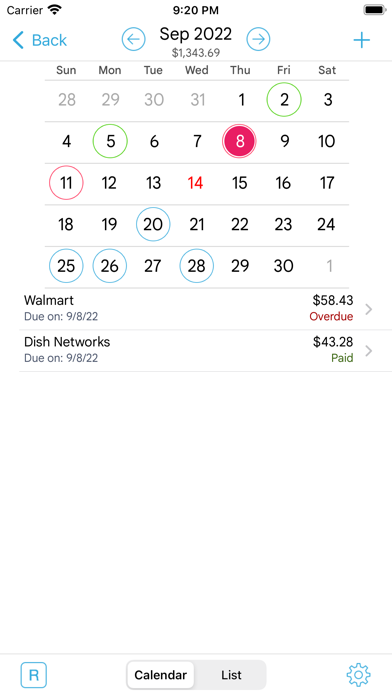
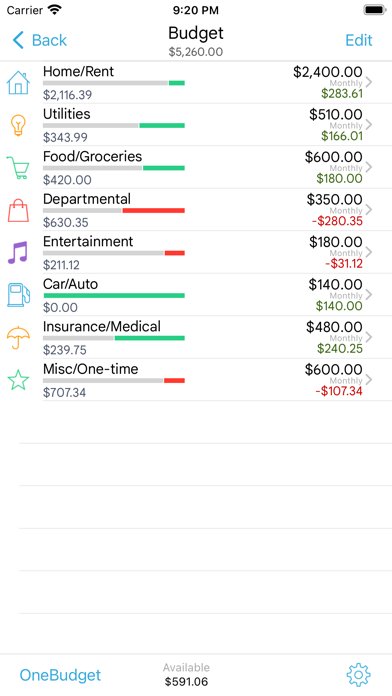
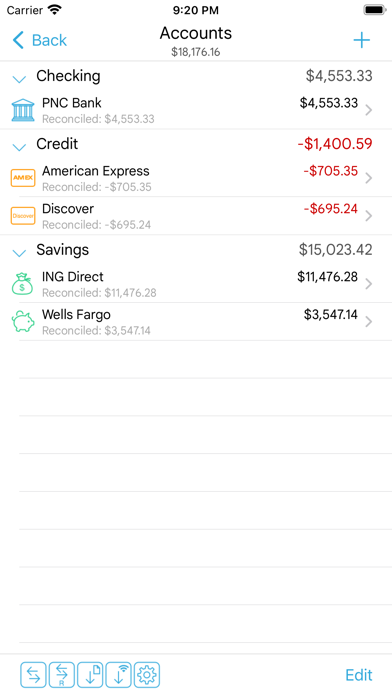
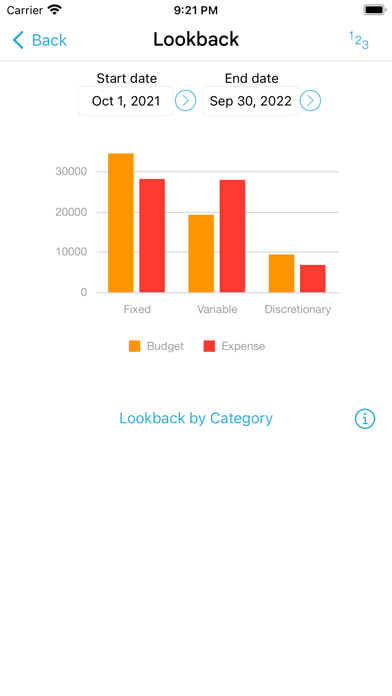
Now available in mobile [iPhone/iPad] and desktop versions [Mac OS, Windows], including instant data sync between mobile/desktop versions. (Separate purchase required for each OS platform). A lite version of HomeBudget is available under the free applications category. Give it a try. Contact support@anishu.com, if you need help. We have no way of contacting you if you post an issue as a review. -- HomeBudget is an integrated expense tracker designed to help you track your expenses, income, bills-due and account balances. It offers support for budgeting, and allows analysis of your expenses and income, including charts and graphs. Two key differentiating features of HomeBudget are: 1. Integrated set of features. The features within HomeBudget are well integrated such that a bill can become an expense (when you pay for it) and also adjust the account balance at the same time. 2. Family sync. HomeBudget includes Family Sync, an advanced feature that allows a group of devices within the household to exchange expense and income information, and work together within a single budget. Once setup, the devices sync with each other automatically over the air. Family Sync works across all features including Bills and Accounts. Please refer to the Family Sync Quick Start guide at http://www.anishu.com for information on configuring Family Sync. KEY FEATURES: Expenses: - Create/Edit/Delete expenses and recurring expenses - Browse expense entries by month, by category/date with the ability to drill-down - Optionally associate an account and payee with an expense - Attach photo images of receipts; drag and resize images on screen - Support for multiple currencies and automatic exchange rate conversion - Search expense entries Income: - Create/Edit/Delete income and recurring income - Optionally associate an account with the income Bills - Create/Edit/Delete bills and recurring bills - Support for Payees, and track payments by Payee. - Make payment on bills either an as expense or as a transfer (to avoid double accounting your expenses) - Calendar and list view of Bills - Bill reminders Categories and Budget - Create/Edit/Delete expense categories and sub-categories - Set a budget, and track expenses at the category/sub-category level. - Associate icons with the categories and reorder category display order - Budget rollover - Classify expenses into fixed, variable and discretionary and compute your disposable income Accounts - Support for Accounts such as Checking, Savings, Credit, Debit, Cash, etc. - Associate your expense and income entries with your accounts and accurately track account balances. - View transactions, and do transfer between accounts. - Ability to choose a different base currency for each account Reports - Trend chart for Expense, Budget and Income for the last 6 months - Pie/Bar charts for expense break-down (Available in the Expenses screen). - Export data/reports by email or via WiFi Family Sync - Automatically sync multiple devices (iPhone, iPad, iTouch) in the household and see the same numbers on all devices over 3G and WiFi - Work within the same budget with other members of the household Other - Backup/Restore complete application data, including all receipts - Ability to upload your own list of category icons - Large numeric keypad for expense/income amount entry - HomeBudget follows the locale/region setting on your device and shows date and currency symbols appropriate for your region Visit http://www.anishu.com to see more screenshots, and to download the user guide (PDF, 42 pages).
Screenshots(10)
View on store ↗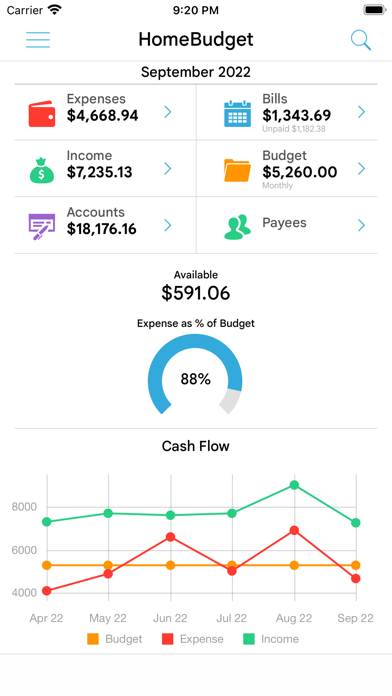




Ratings
4.6 / 5
1,254 ratings
- 5 ★86%
- 4 ★5%
- 3 ★2%
- 2 ★2%
- 1 ★4%
Recent Reviews
- ★★★★★shallowdlights
Last update has made the app less usable
I bought this app over a decade ago. I loved that I was able to log my purchases and know exactly where my accounts stood. After the last update, I can’t scroll through my notes anymore. I can still use the search function. But it’s impossible to read further than 2 lines. This is really frustrating for me when I’m searching for data.
- ★★★★★Veteran_Review
Budgeting with this app for nearly 15 years
This app keeps on kicking. For nearly 15 years, it has tracked every expense in my household. It is simple to use and great for anyone who doesn’t mind (or prefers) manually inputting transactions.
- ★★★★★eaburezq
Great app, but
This app is perfect, but it needs a small update to enable users to add and track stock assets
- ★★★★★RVApps
The very best
I have been using this app for over 15 years. This App has met all my needs, including budget, tracking expenses, and tracking credit cards. Very user friendly. Further extensive documentation is also available for a beginner.
- ★★★★★CoachLes13
Best Budget app
I’ve been using this app for over five years, and it worked exceptionally well. However, when I noticed that it hadn’t been updated, I was concerned that it might stop being supported. So, I started looking for alternatives. Surprisingly, I found nothing better on the market. When I saw that they had recently released an update, we decided to give it another try. My wife, who manages most of our finances, is incredibly grateful for this decision. I hope that the support continues.
- ★★★★★Cibolo314
Using for over 10 years for “Free”
This has been my best App for monitoring my home Income and Expenses (Retired Military Income and Social Income and All Home Expenses). All as the Title states “Free”. Currently the App is not working! It is ALL about posting and expense to my “Miscellaneous”. I have received awesome help from support! Have received “Links” to read. I have read and none address the following: 1. How to add an additional purchase given current issue 2. How to find current Version. If I go to App and I tap open, it just opens current Expenses for 12 categories. Miscellaneous with issues. 3. I do not need “Family Sharing”! 4. Could even use the “Lite Version 5. Will to “Pay”! 6. Do not want to lose years of Income or Expense posting!
- ★★★★★old feller
Great App!
I have been using this app for over 5 years. I love it!
- ★★★★★cariamecilia
Great function
Love how easy this app is to use. Amazing value for cost.
- ★★★★★-dlo
Great Budgeting App - Runs locally
Like many others, I’ve been using this app for many years now. For those who value privacy/security - this is a great option as it runs & stores your data locally, while also offering an option to transfer your data from one device to another. Easy to setup, use and I haven’t had the need to use anything else.
- ★★★★★Chrisnnjs22
Game changer!
My wife and I share ALL our accounts…and there are a lot of them. I used to keep track of the on written ledgers, which was pretty tough to do when you have joint accounts. HomeBudget is pretty great…and it is very easy to use. The app syncs your data to DropBox and cascades any changes to the other device’s linked to your account. You card as many accounts as you want, put them categories by type, transfer funds to another account, set up manage recurring bill and payments…and more. It’s pretty easy to reconcile; however, the app could use some improvements, mostly with filtering abilities. It’d be nice to be able to Filter for expense, by reconciliation status or by amount range.