
Slow Shutter Cam
Cogitap Software · App ID: 357404131
Downloads / mo
2.5K
Range 1K–6.4K
Revenue / mo
$9.9K
Range $4K – $24.7K
RPD
$3.89
Revenue per download
Avg. DAU
11.6K
Daily actives
Time Spent
11 min
Per user / day (est.)
Session Count
803K
Monthly (est.)
Category Ranking
100+
Photo & Video · US Today
Top Countries
US · India · Brazil
By est. downloads share
Downloads Trend
26.3K12-mo total
Monthly avg 2.2K
Revenue Trend
$102.3K12-mo total
Peak May ($10.3K) · amber bar = best month
Release Details
- Current Version
- 6.3.5
- Last Updated
- 4/7/2026
- Release Date
- 2/23/2010
- Minimum OS
- 16.0
- File Size
- 4.4 MB
- Content Rating
- 4+
- Languages
- EN, JA, ZH, ZH
Description
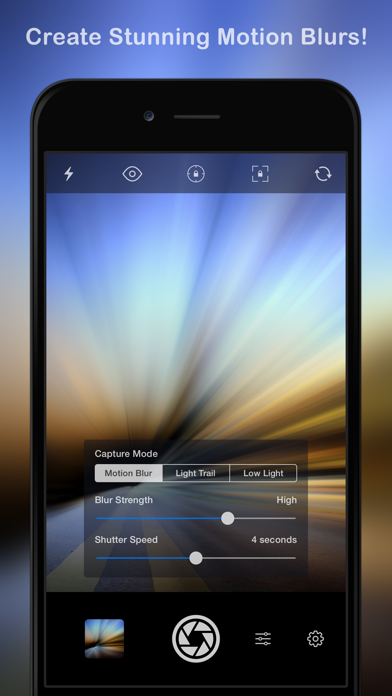
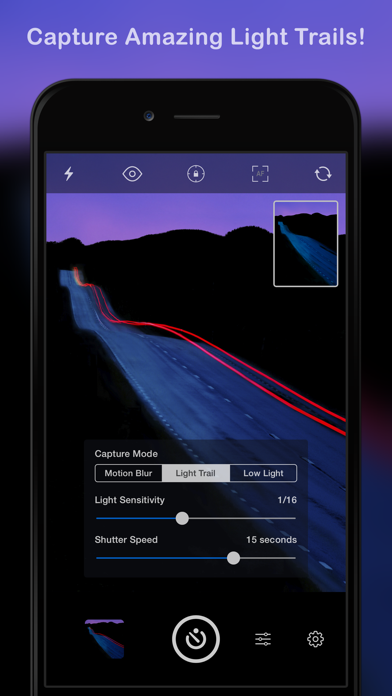
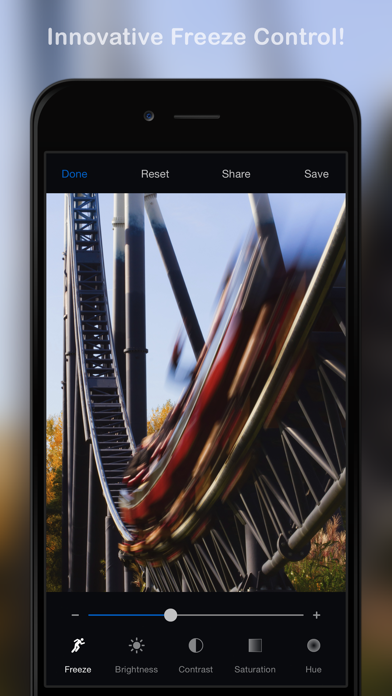
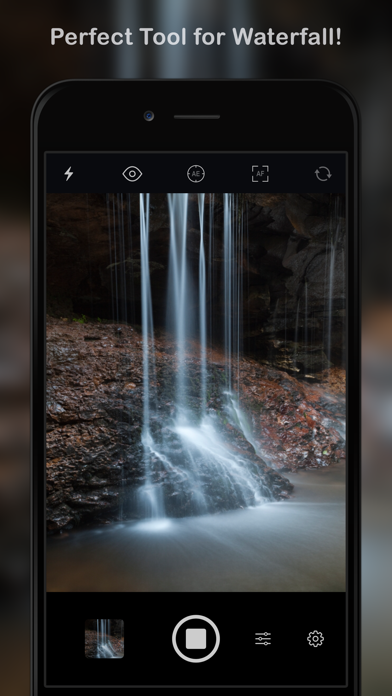
Slow Shutter Cam brings new life into your device's photo toolbox by letting you capture a variety of amazing slow shutter speed effects that you only thought you could get with a DSLR. Continue reading to learn more about this unique app! ----------------------- • Featured numerous times by Apple: - App Store Essentials: Camera & Photography - Photography for Professionals - Total Control - Extraordinary Photo Apps - Best New App ----------------------- "It’s one of those rare photography apps that creates effects that few others are capable of, and it does it easily and with better results." — Marty Yawnick, Life In LoFi ----------------------- How many times have you tried to capture artful images with your iPhone camera but were left wishing you had more features to work with? Slow Shutter Cam puts an end to mere snapshots and gives you some of the most powerful features of a DSLR camera. All this, in a package that fits in your pocket. Slow Shutter Cam offers three capture modes to capture unique images: MOTION BLUR: Equivalent to the shutter priority mode on a DSLR, the Motion Blur mode is perfect for creating ghost images, waterfall effects or suggesting movement in your photographs by adding a blur. LIGHT TRAIL: The Light Trail mode allows you to 'paint' with light, show car light trails and fireworks or capture any other moving light in a unique way. Unlike shooting with a DSLR and being tied to specific rigid settings to obtain good results, the Light Trail mode takes care of the essentials, letting your creativity soar! LOW LIGHT: In low light conditions, this capture mode allows the camera to accumulate every photon of light hitting the sensor. The longer the shutter speed, the more light it will accumulate. You can even fine-tune the result using the exposure compensation slider to achieve the exact effect you want! Highlights: • Unlimited Shutter Speed and manual ISO • Option to resume capture and create multiple exposure photos • Real time live preview - See the result in real time • Innovative 'Freeze' and ‘Blur Strength’ controls • Tap to adjust focus/exposure • Time-lapse Intervalometer • Apple Watch support and handy Self-Timer • Full resolution support on every devices • Camera Control support (iPhone 16) With Slow Shutter Cam on your iPhone you get the features of a DSLR camera with the convenience of a device that you can drop in your pocket and take with you wherever you go. Download it now and put an end to mere snapshots! Search #slowshuttercam on Instagram or visit the "Slow Shutter Cam - iPhone" group on flickr for amazing samples!
Screenshots(5)
View on store ↗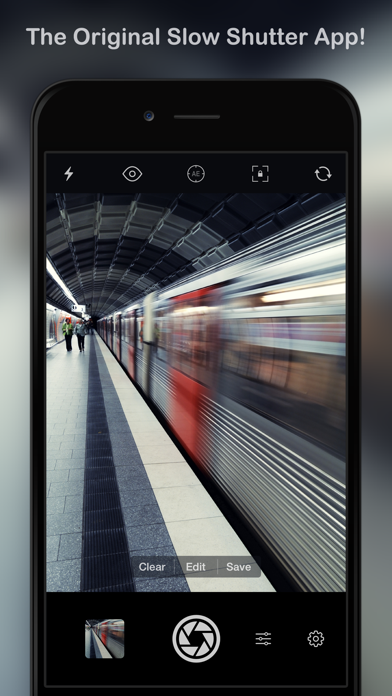
Ratings
4.6 / 5
2,771 ratings
- 5 ★92%
- 4 ★2%
- 3 ★1%
- 2 ★1%
- 1 ★4%
Recent Reviews
- ★★★★★Paul T Twin
ICM
Best app hands down for ICM & abstract images!
- ★★★★★Kalbfrs
Great light trail options-
This app is great for capturing light trails. I use the app in “bulb” mode. There are many options that allow for shots in all types of light-
- ★★★★★TSnever
Great for waterfalls
Simple to use, tons of features, can’t beat for this price!!
- ★★★★★Joshua.JCMO
Great Long Exposure Cam App
I’ve been using this app for several years now and I use it to capture long exposures of waterfalls and creeks and fountains at about the 1 second timing setting. I like the results I get.
- ★★★★★SuperLightness
Creative tool
I use the Slow Shutter Cam app mainly for ICM (intentional camera movement) photos, occasionally incorporating multiple exposures. I don’t 100% understand the app, but this actually works for me because playing with it to see what works just adds to the creative fun.
- ★★★★★QueenofPics
Love this App!
Superb app just needs some practice to understand it. Your screenshot explanations from developer website are very helpful. Can you look into adding a feature inside your app that allows editing from photo library images, like several other camera apps? This would really take my * to a 10!!
- ★★★★★Danielg23
No good
Doesn’t really work poor quality
- ★★★★★SlayBells
doesn’t work
Edit: RESTART PHONE! Fixed blackscreen used this app years ago and worked great! used it for fire pit embers light trails, fireworks, light painting, but now I can’t get it to do the same quality… need to test more but complicated, changing from 3* to 4* tried it last night and nothing shows up on camera, only black. also deleted app and reinstalled, still doesn’t work, restarted phone and it works, doesn’t work for light painting that well however
- ★★★★★lovecala
Very fun!
I really love this app. I’ve had it for such a long time and I love it!
- ★★★★★K Kpreston
Well worth $2.99!
Okay, I’ve not been this excited over an app in a long time. It works perfectly & zooming in on the image, I see no noise. I imagine the resolution is probably not great at slower shutter settings, but this is a one time $2.99 app! Love it, thank you!! I’ll be looking for other apps by you!