
Google Authenticator
Google · App ID: 388497605
Downloads / mo
1.1M
Range 428.9K–2.7M
Revenue / mo
$857.8K
Range $343.1K – $2.1M
RPD
$0.80
Revenue per download
Avg. DAU
2.4M
Daily actives
Time Spent
11 min
Per user / day (est.)
Session Count
163.6M
Monthly (est.)
Category Ranking
#3
Utilities / Tools · Downloads
Top Countries
US · India · Brazil
By est. downloads share
Downloads Trend
10.8M12-mo total
Monthly avg 898.4K
Revenue Trend
$8.6M12-mo total
Peak May ($817.3K) · amber bar = best month
Release Details
- Current Version
- 5.0.1
- Last Updated
- 6/25/2026
- Release Date
- 9/20/2010
- Minimum OS
- 16.0
- File Size
- 35.1 MB
- Content Rating
- 4+
- Languages
- AR, CA, HR, CS, DA, NL +26
Description
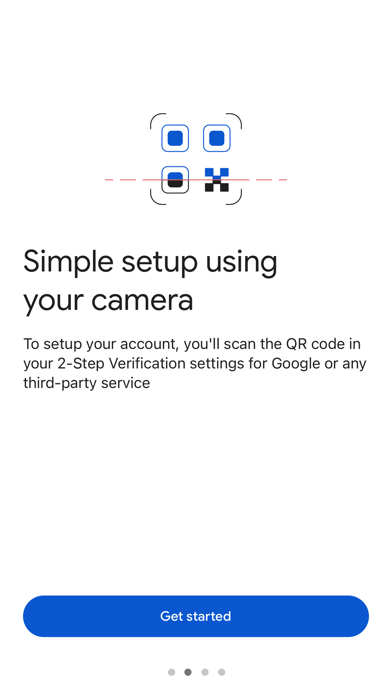
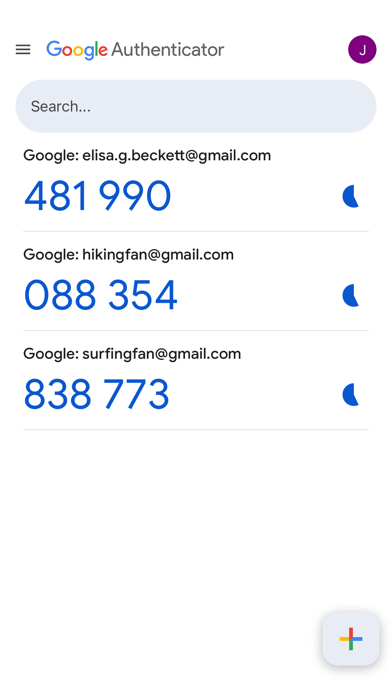
Google Authenticator adds an extra layer of security to your online accounts by adding a second step of verification when you sign in. This means that in addition to your password, you'll also need to enter a code that is generated by the Google Authenticator app on your phone. The verification code can be generated by the Google Authenticator app on your phone, even if you don't have a network or cellular connection. • Sync your Authenticator codes to your Google Account and across your devices. This way, you can always access them even if you lose your phone. • Set up your Authenticator accounts automatically with a QR code. This is quick and easy, and it helps to ensure that your codes are set up correctly. • Support for multiple accounts. You can use the Authenticator app to manage multiple accounts, so you don't have to switch between apps every time you need to sign in. • Support for time-based and counter-based code generation. You can choose the type of code generation that best suits your needs. • Transfer accounts between devices with a QR code. This is a convenient way to move your accounts to a new device. To use Google Authenticator with Google, you need to enable 2-Step Verification on your Google Account. To get started visit http://www.google.com/2step
Screenshots(6)
View on store ↗

Ratings
4.9 / 5
1,129,052 ratings
- 5 ★78%
- 4 ★11%
- 3 ★5%
- 2 ★4%
- 1 ★2%
Recent Reviews
- ★★★★★QWE4620
nn
swgh5lie4cisgocb4hoka7e3wowj72ha
- ★★★★★Genius🧗🏽♂️
Dr. Abieanga
Insight inside Google Unabridged Authentication.
- ★★★★★Ubereatsthanksfornothin
Useless
This app offers no assistance is not connected to an account. Worked fine yesterday but not today the interface looks totally different.
- ★★★★★Tecxolutionz
Great app
Very useful and easy to use
- ★★★★★Free apps suck
Zero for release note
Bug fixes an improvements, what the hell does that mean? Just try putting something reasonable in here just one sentence that says what you're changing. It's not that hard.
- ★★★★★mbuc310
It works
How can you fix something that already works flawlessly?. I love Google authenticator, I didn't know what needed to be fixed or updated.
- ★★★★★Trina baptist
Baptist my login
Today
- ★★★★★BettyMan Lee
The gold standard for 2FA
No bloat, no ads, and it works perfectly. The ability to transfer accounts between iOS devices via the cloud is a lifesaver. It’s the first app I download on any new iPhone. Five stars.
- ★★★★★genio marga
Simba2727#
Simba2727#
- ★★★★★D-GRIN
Really good and easy
This is really good and easy to use