
Downloads / mo
860
Range 344–2.2K
Revenue / mo
$5.1K
Range $2K – $12.7K
RPD
$5.89
Revenue per download
Avg. DAU
4.2K
Daily actives
Time Spent
41 min
Per user / day (est.)
Session Count
289.2K
Monthly (est.)
Category Ranking
100+
Music · US Today
Top Countries
US · India · Brazil
By est. downloads share
Downloads Trend
9.3K12-mo total
Monthly avg 776.4
Revenue Trend
$54.9K12-mo total
Peak Jun ($5.6K) · amber bar = best month
Release Details
- Current Version
- 1.11.4
- Last Updated
- 3/31/2026
- Release Date
- 1/15/2011
- Minimum OS
- 9.0
- File Size
- 27.8 MB
- Content Rating
- 4+
- Languages
- EN, FR, DE, IT, JA, KO +5
Description
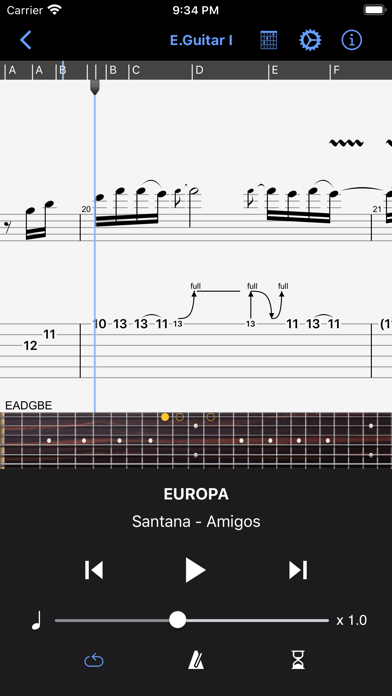
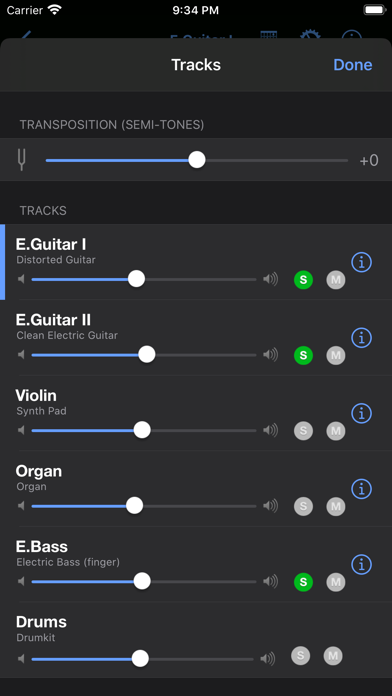
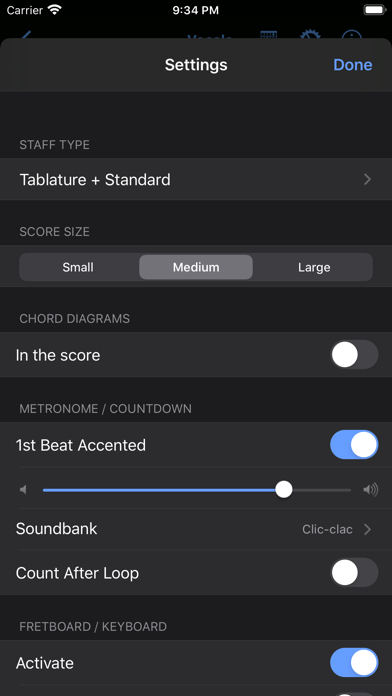
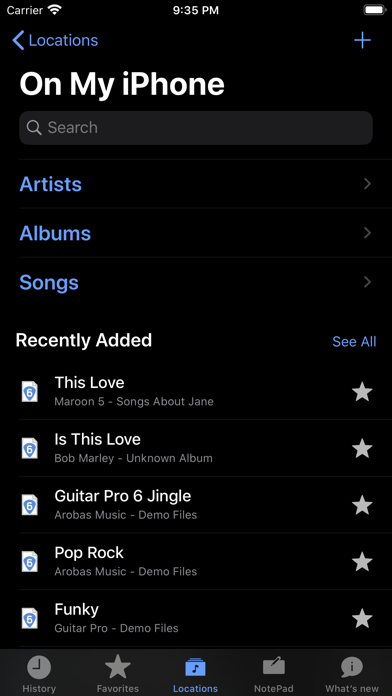
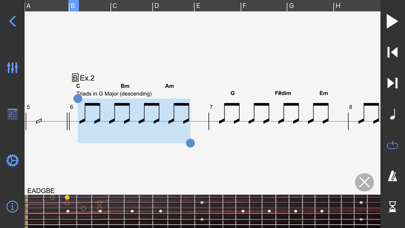
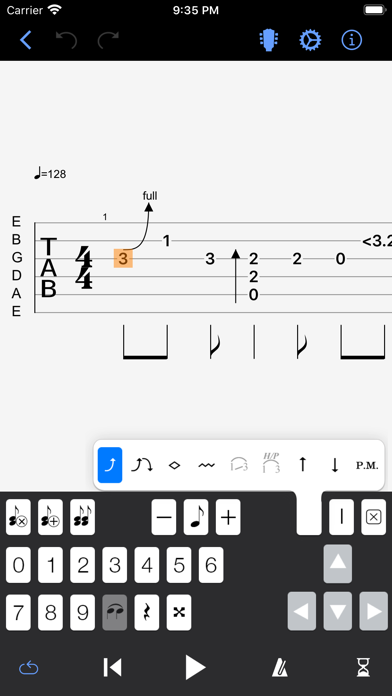
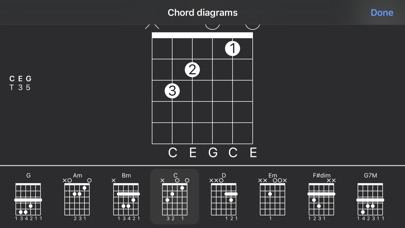
The Guitar Pro application allows all musicians to view and play sheet music and tablature created with the famous Guitar Pro tab-editing program for Windows and Mac. This mobile version is the ideal companion for you to practice your favorite songs and share them any time, anywhere! Coming up with some arpeggio, a riff, a chord sequence? You can now note and save it all on the single-track tablature NotePad. Powerful score player • Supporting GP3/4/5/6/7/8 (.gp) and PowerTab (.ptb) file formats, • Tab (with rhythmics), slash, and standard notations, • Compatible with mySongBook portal to sheet music (monthly subscription and single buying), • Switch between Dark and Light viewing modes, • Load files via WiFi and web browser, iTunes, e-mail, • Integrated sheet-music library with search, filters, and favorites, • Multitrack player with soundboard: volume / solo-mute / soundbanks, • Metronome and visual countdown, • 3 zooming levels, • Guitar or bass fretboard (for right- and left-handers), and virtual keyboard, • On-the-fly tempo changes, • On-the-fly global transposing by half-tones, • Playing any selection in loops, • Simplified navigation between sections, • E-mailing files directly from the application, • Exporting files to PDF, • Compatible with the Fretlight Wireless Guitar. NotePad tool to create a tablature • Use the NotePad to edit a single-track tablature for guitar, bass, banjo, ukulele, and mandolin, • Tablature for 4- to 8-string instruments, • 19 built-in sounds, • Customizable tuning and tempo, • Export your ideas into Guitar Pro 6 and 7 formats so as to later carry on with your composition on the Guitar Pro desktop version. ———————————————————————- The app is updated frequently, so feel free to contact our team to ask any question or give your feedback. For more info: Need help: https://support.guitar-pro.com Facebook: http://www.facebook.com/arobas.music Twitter: http://www.twitter.com/arobasmusic Instagram: https://www.instagram.com/guitarpro_official FAQ: Q: Can I create or edit sheet music with this app? A: Unlike Guitar Pro for Windows and Mac, this app does not let you change the notation in an existing Guitar Pro file, or create sheet music in standard notation. It is however possible to edit a single-track tablature with the NotePad tool and export your work into .gpx and .gp formats to finish your composition in Guitar Pro 6 or 7. Editing a drum track is not available with the NotePad tool.
Screenshots(8)
View on store ↗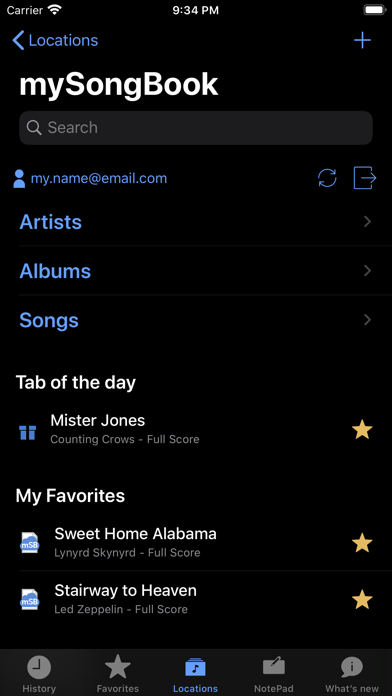
Ratings
3.7 / 5
887 ratings
- 5 ★45%
- 4 ★23%
- 3 ★11%
- 2 ★8%
- 1 ★13%
Recent Reviews
- ★★★★★john-app
Frustrating connection to mysongbook
Great app for learning when mysongbook works, but loses connection and can’t access tabs even though viewing mysongbook account via the app is possible. Frequently shows error that mysongbook account not connected even when logged in. Marked down for this bug, otherwise 5 star app. Even though I’ve bought score on mysongbook on my mac GP Pro8, the iPad app asks me to buy it again. Won’t sync the score. iPad MSB account shows I’ve bought the song and asks me to buy it again. Why?
- ★★★★★carlox-andradex
Terrible
Terrible app after you pay for the app you have to pay for the songs !
- ★★★★★_seth4
Lackluster Compared to Desktop Application
I use guitar pro 8 on my computer almost every day when practicing. I've used the mobile app maybe 5 times. I wouldn't recommend the mobile app unless you absolutely need to write tabs in a life or death situation. Even if you don't own a computer, I'd recommend other options first. The midi audio quality is alright. It's almost like 8 bit sounds, which is kinda cool, but terrible compared to the desktop application. I'm not expecting modern sounding midi guitar from the mobile app, so it's not really my biggest complaint though. It's more that the articulations such as palm muting, slides, and bends can be bad. Writing tabs on the app is abysmal. I've done it once to remember something, but it was almost not worth it. You cannot add an audio file to the tabs like you can on desktop. So if you have jam tracks that you'd like to sync up to the tabs, you won't be doing that on mobile. Adding this feature would sort of negate my complaint about the audio. If I could sync an audio file to the tabs, I would just mute the tabs and only play the audio.
- ★★★★★dougc84
Decent but missing Files integration
If you live in the Guitar Pro universe, you can use its browser and open all your files. However, if you’re a normal musician, you have PDFs, audio files, video files, PNGs sent from someone without a clue, and more. Because of this, using something like the native Files app is a better solution to manage your music. However, Arobas does not let the Files app set .gp* files to always open with Guitar Pro, so you tap a file to open it, then you have to share it with the app. Clicking “view info” on a file gives you no options to set, say, an older .gp3 file, to Guitar Pro as a default app. Because they’re likely trying to push their own format with their own mid file browser, they ignore this, making this a more difficult app to use for musicians on the go - or those that just like to practice with an iPad instead of a computer. Please update this. It is, otherwise, a wonderful app for on-the-go and for practice, but this annoyance makes me want to print every Guitar Pro file to a PDF and use that instead.
- ★★★★★bfiz16
Recent Bug?
I think it WAS a great app, but as of the last update, you can no longer select bars, copy and paste in Notepad. Notepad was a crude way to write and edit some ideas, and as musical phrases repeat quite often, copying and pasting was very useful. Besides, notepad wouldn’t allow you to use repeat notation. Anyways, fine, I get it. They don’t want this app (which was 14.99) to compete with their 70 dollar desktop version. But dear god, I’ve never seen an app that actually removes functionality. I was told via email they would fix this bug in the next update, but the updates are like 9 months apart when I looked at the history. By all means they should just move to a subscription model. I’d pay 5 bucks a month to have this app if they beefed up the functionality somewhat(or at least don’t delete basic things like copy and paste) and there’s your 60 bucks a year! But I don’t know why they have so little interest in the iOS version, and I really don’t understand why they are removing features. Don’t they get that musicians moving around find it very helpful to have an iPad handy on the go rather than a desktop. That the haven’t fixed this most recent obvious bug (or did it deliberately) is awful.
- ★★★★★Ag17799
Confusing
Song selection is beyond limited
- ★★★★★Rssfees
Useless
It used to be that the guitar pro community was about people making and sharing tabs, but now guitar pro has gone full Roblox everything is a subscription. You can’t edit music with this app, so it’s only a reader. However, you can only now get guitar tabs (overwhelmingly made for free by other users) by going through one or more paywalls. Considering that most of the tabs are incorrect (which was fine when they were free), that’s ridiculous. Given the extremely minor functionality of this app, it should be free, too.
- ★★★★★BasstardMan
iPad Disappointment
New to GP, I got quite excited about using Guitar Pro on my Mac Studio while learning to add a bass track to a .gp file a bandmate shared with me. I was so excited I added GP to my iPad. Unfortunately, my iPad experience was completely opposite. The mobile version of GP falls so far short of the Mac app… It’s pretty much useless. I am going to continue using GP on my Mac. It’s a great tool. But, it certainly lacks in portability. Here’s hoping this gets fixed soon. Maybe GP9?
- ★★★★★Bobbyrayroberts
Why did you remove features?
This was actually kinda useful until you could no longer create with it. Pointless.
- ★★★★★Jazz Kat
Great with TrueFire
Great tool to practice technique, particularly fingerstyle.