
Video 2 Photo - HD
Francis Bonnin · App ID: 487353844
Downloads / mo
2.1K
Range 850–5.3K
Revenue / mo
$8.3K
Range $3.3K – $20.7K
RPD
$3.89
Revenue per download
Avg. DAU
8.7K
Daily actives
Time Spent
11 min
Per user / day (est.)
Session Count
597.3K
Monthly (est.)
Category Ranking
100+
Photo & Video · US Today
Top Countries
US · India · Brazil
By est. downloads share
Downloads Trend
22.4K12-mo total
Monthly avg 1.9K
Revenue Trend
$87.3K12-mo total
Peak Jul ($8.8K) · amber bar = best month
Release Details
- Current Version
- 6.1.1
- Last Updated
- 6/15/2025
- Release Date
- 12/21/2011
- Minimum OS
- 12.0
- File Size
- 30.6 MB
- Content Rating
- 4+
- Languages
- EN, FR, DE, IT, JA, ZH +1
Description
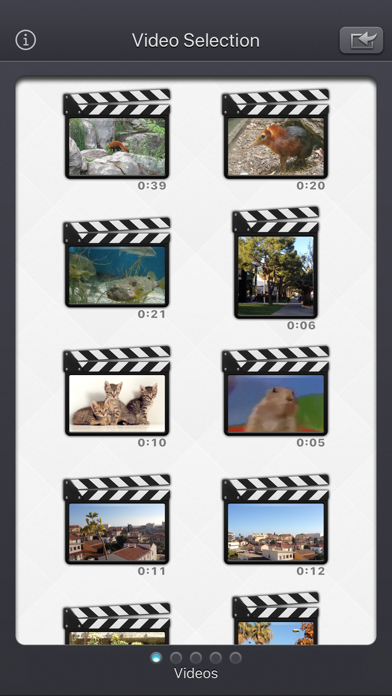
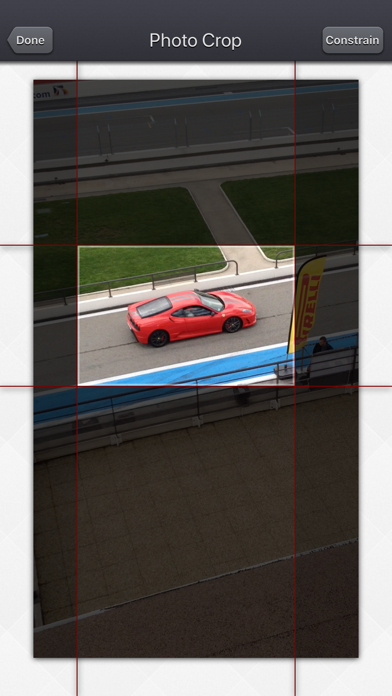
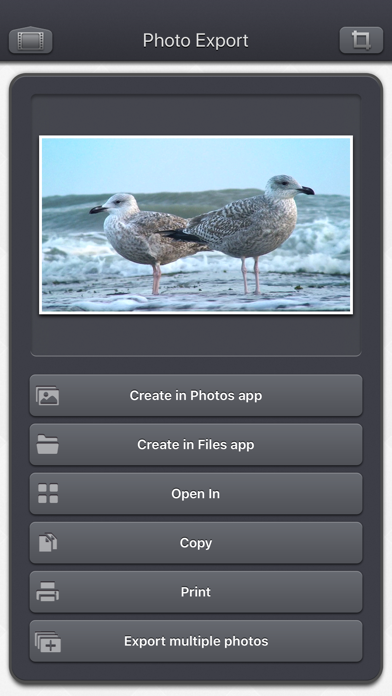
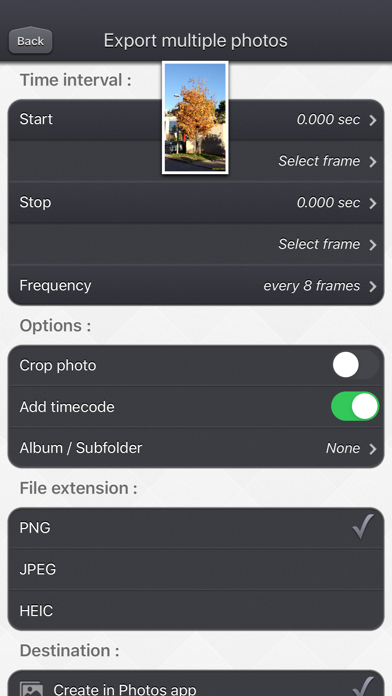
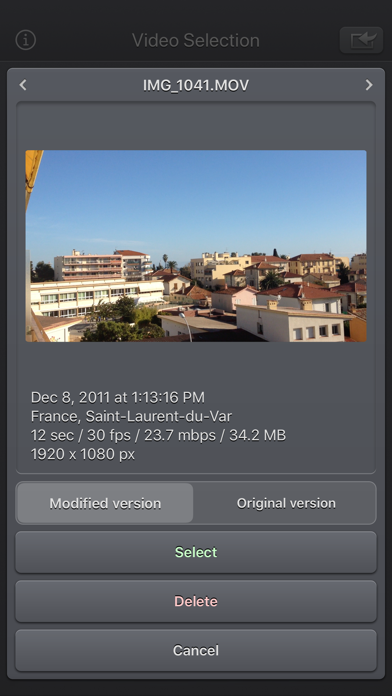
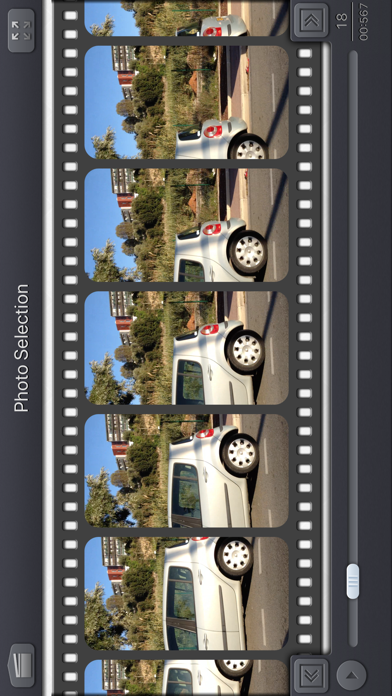
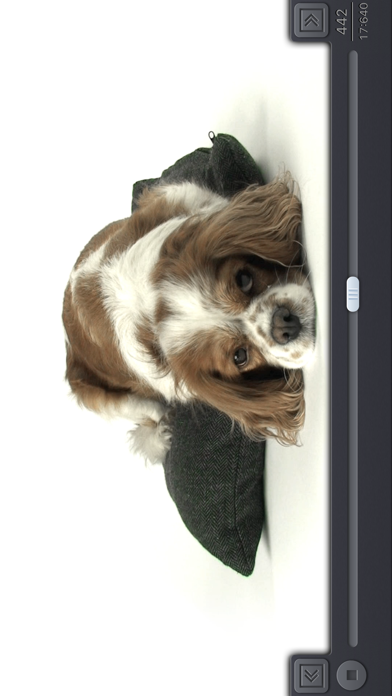
Video 2 Photo - HD allows you to export one or more high quality photos from your videos (and Live Photos / Bursts) in a quick, fun and original way. Why would you do that? • Sometimes you hesitate between taking a photo or a video. Take a video! thanks to 'Video 2 Photo' you can now extract from your video as many images as you like! • Taking 'The' good picture of an object, animal or person that moves is almost impossible. With 'Video 2 Photo' this becomes feasible. • You have inadvertently recorded a video when you wanted to take a picture. With 'Video 2 Photo' you can finally recover photos from this video. • Taking a picture of yourself is always difficult. With 'Video 2 Photo' you can choose exactly the right image that suits you best. • You need a precise tool to export multiple consecutive photos and use them with another application. • Choose a representative picture of your best videos and put it as wallpaper or print it in order to have it always with you. • Have fun watching your favorite movies frame by frame and find the little detail that you had never seen before. The Input video can be imported from your device in several ways. The modified version (if there is one) or the original version of the video are both available. The camera can be used directly to record a video if needed. You can also connect your device to your computer in order to drag and drop specific videos (Files feature). An animated and original interface allows you to precisely select a picture from all the ones contained in the video. It is also possible to view the video (possibly in full screen) and to directly target a specific time. Once the image is selected, you will be able to view it (possibly in full screen), to eventually crop it (keeping the most interesting part of it) and to export it (to PNG, JPEG or HEIC files) in different ways: • archive it in the camera roll of your iDevice • send it by email • retrieve it via iTunes file sharing (or the File app) • copy it (and thus paste it into other applications) • print it • open it directly in another application supporting image import. • and even send it as a tweet or to facebook ! HD Images exported using Video 2 Photo have the highest possible resolution and quality. Their resolution being the exact same one than the videos they are extracted from (a 1920 x 1080 video will produce 1920 x 1080 images) On newer devices, 4K video at 60 frames per second gives you great possibilities for beautiful photos! HDR video can also create HDR images that are colorful and vibrant when viewed in the Photo app, for example. An exclusive batch export feature allows you to export multiple images from a source video at the same time. If needed, some power user settings, located in the settings application, allows to change some parameters like the output file format (png/jpeg/heic), the associated meta-data, and some behaviors of the application. This application can run, on your iPhone and your iPad, as a standalone application, or as an Action Extension (from the compatible applications like the Photo app). Portrait and Landscape orientations are supported in all screens. Dark mode of iOS13 is supported. You will find the original and intuitive user interface, common to all our videos applications. These applications have been featured many times by Apple and various websites.
Screenshots(10)
View on store ↗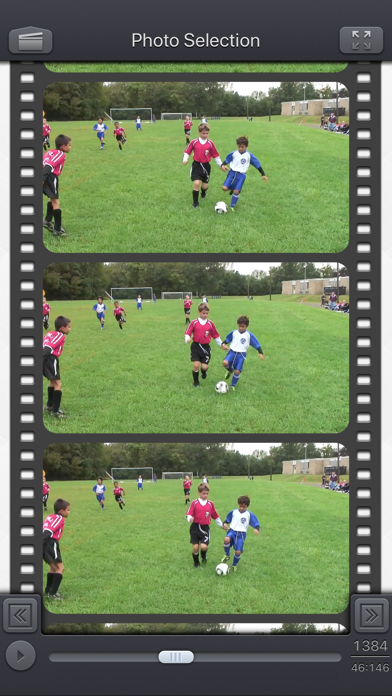

Ratings
4.9 / 5
2,061 ratings
- 5 ★91%
- 4 ★4%
- 3 ★2%
- 2 ★2%
- 1 ★2%
Recent Reviews
- ★★★★★joecwels
EXTREMELY EASY TO USE !😬
I've used this app for probably two or three years. It's nice there are still simple things in life. When you know you won't get the perfect shot, take a video (only a short one if you want) then pull up this app and grab a frame that's just perfect!👍🏼
- ★★★★★jenalou90
Review
Very easy and has good tools
- ★★★★★Bluevevet
Awesome
Super easy to use with amazing results. Love this app!
- ★★★★★ovanegas
Awesome!!!!!!
Totally awesome app !!!!!!
- ★★★★★kpizzelli
Fidgety kids? Move too fast?
Best app to turn videos into pics!! Great for creating pics for Christmas Presents!
- ★★★★★Nick Ron.
Great for Photo’s of Kids
I takes pictures of babies and toddlers that my wife watches. Its impossible to catch the perfect smile without this app. I always video then use the (video 2 photo) app to create the perfect moments as a photo !! Love how easy to use … Great Job !!
- ★★★★★rosegrlz
Great App!!
This app has really worked for me. There are times where the iPhone camera just can’t get a really good clear photo- so I put my phone on highest resolution and take a video. Then I use this app to “select” the picture I want. It’s clear and beautiful! I saw an eagle in the top of a tree across from my house. I’m not quick enough to keep the iPhone camera zoomed in and pan the camera when action starts- so I took a video- and because of this app, I got several clear pictures of this eagle extending its wings and taking flight- needless to say- this app has pleased me many times throughout the years! THANK YOU!
- ★★★★★Bruce in NJ
Video 2 Photo Works Consistently
It is simple to use. Often a single frame tells the story. I use it everyday.
- ★★★★★Krafty Pony
Love this app as a great teaching tool!
The ability to capture frame by frame helps me point out communication errors in teaching riding, position faults etc! So easy to use, i recommend to all of my riding students so they can improve further from their lessons…
- ★★★★★Pandabear62
Love this app!
Capture the best moments of videos!