CalcTape Paper Tape Calculator
schoettler Software GmbH · App ID: 525997288
Downloads / mo
124
Range 50–310
Revenue / mo
$433
Range $175 – $1.1K
RPD
$3.49
Revenue per download
Avg. DAU
369
Daily actives
Time Spent
5 min
Per user / day (est.)
Session Count
25.5K
Monthly (est.)
Category Ranking
100+
Finance · US Today
Top Countries
US · India · UK
By est. downloads share
Downloads Trend
1.3K12-mo total
Monthly avg 110.4
Revenue Trend
$4.6K12-mo total
Peak Jun ($451) · amber bar = best month
Release Details
- Current Version
- 6.0.6
- Last Updated
- 6/17/2022
- Release Date
- 5/16/2012
- Minimum OS
- 10.0
- File Size
- 3.7 MB
- Content Rating
- 4+
- Languages
- NL, EN, FR, DE, IT, JA +4
Description
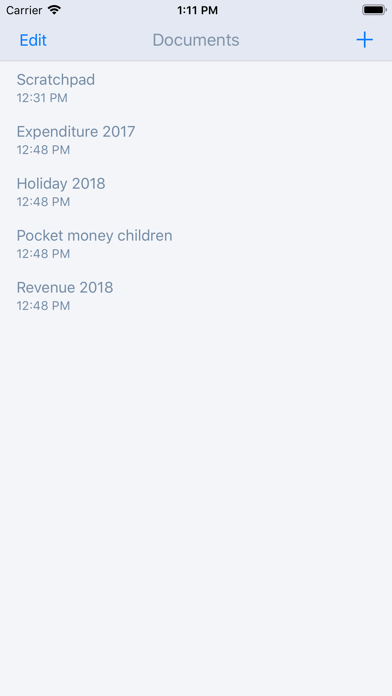
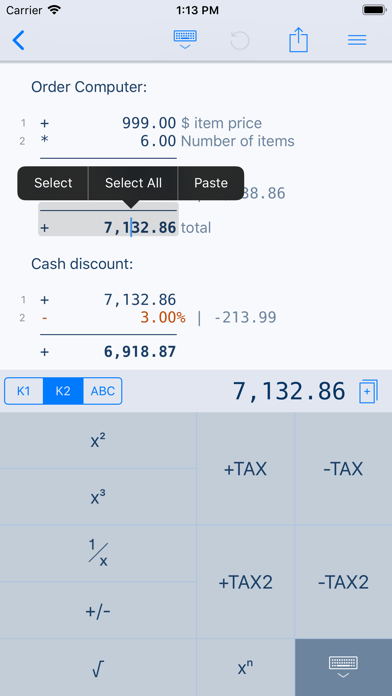
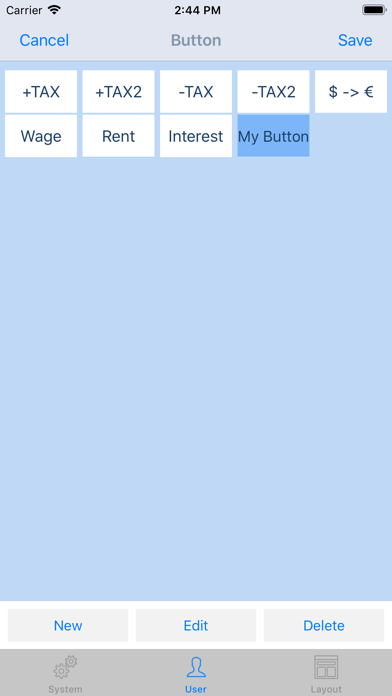
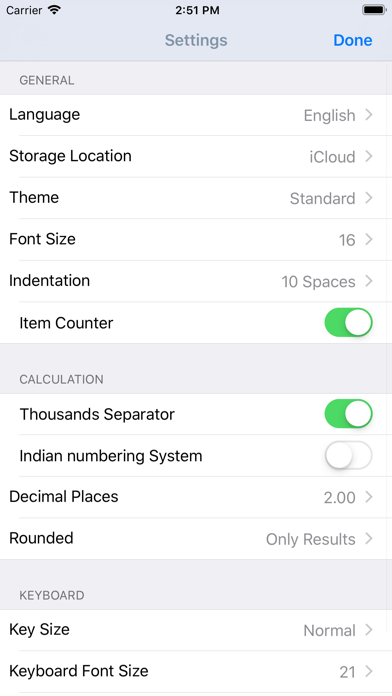
Calculator thought from scratch! Calculate, comment and correct instantly. What happens if you combine a standard calculator App, a classic desktop calculator and a note App ? CalcTape brings you the best of these and even more. It is your companion for all daily calculation needs and easily masters all scenarios you can imagine. CalcTape is NOT a scientific calculator app, but do we need these in daily use ? Ever did a long calculation with many figures and asked yourself: "Did I enter the last figure correctly ?" "The result looks strange somehow !" With CalcTape you keep an overview, can check all figures and correct figures instantly inplace with all subsequent results being adjusted automatically ! Missed a figure ? No problem: Just insert it in the right place easily by entering a new line. You can place the cursor everywhere you like in the calculation: It's like a note where you can change anything you like in any place with the advantage, that changing numbers or operators updates your calculation immediately! CalcTape can be considered an "Excel Lite with a calculator interface". You can also keep the calculation for your records (documents) and create templates: Replacing the figures in your template and getting the correct results is a breeze. Commenting figures and results gives sense to your calculations, so you can understand what you did when viewing the calculation a month later. Customize CalcTape to your needs and place only those buttons on your keypad that you really need everyday. Create your own functions to e.g. add a specific percent rate with a tap on a single button. CalcTape features: - Save your calculations into files - Create own functions or text snippets to be entered when pressing a button (long press a button to enter the Button screen) - Create own keypad layouts (change assignment of all buttons except numbers and backspace / change button sizes) - Select between different keypad layouts (the "function keypad" contains no numbers and is nearly completely customizable) to get more buttons or other functions, 2 keypads are directly accessible in the main screen - Share your calculations using standard iOS sharing capabilities, e.g. email - Sync your calculations with iPhone, iPad, Mac and PC using iCloud Drive. - Calculate TAX, VAT and other percent values easily - Use CalcTape for budget, accounting and expense tracking in the office and at home, everyday. CalcTape, more than a calculator. FAQ: - Start a new calculation on the same sheet by simply tapping the "=" key twice. - Do a long tap on a button to assign another existing function or to create a user function for it. - If you accidentally hit "AC" you can use "Undo" to get your calculation back.
Screenshots(5)
View on store ↗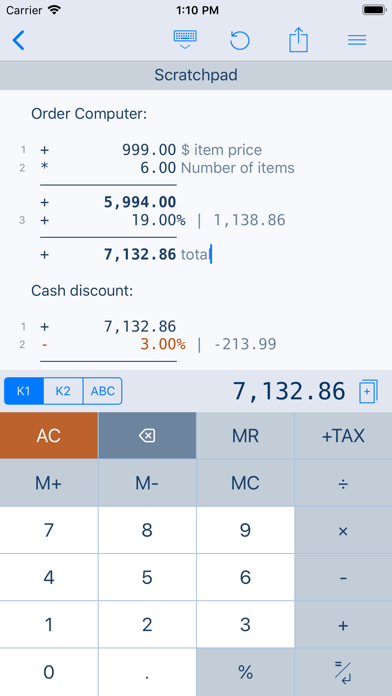
Ratings
4.1 / 5
117 ratings
- 5 ★68%
- 4 ★12%
- 3 ★6%
- 2 ★4%
- 1 ★9%
Recent Reviews
- ★★★★★AlmostSnow
Doesn’t sync between devices
Very annoying. It also erases completely your tabulations for no reason. It used to be a great app but not so great now.
- ★★★★★Latadeo
Best Tape Calculator IOS and Mac
This is the best tape calculator I have used it for years for Mac and iPhone
- ★★★★★gigax1
Easy to Use & Reliable
This app is very handy & easy to use. works flawlessly for me. I've used this for years. I use the duplicate & rename function to create template for repeat calculations. The only thing I would suggest is for developer to provide archive or backup & restore for the all the calculations.
- ★★★★★Michael MJV
Utilitarian & fast
Every once in a while I try other calculators in the App Store but I aways come back to CalcTape. It’s fast and intuitive for my brain
- ★★★★★swdrana
Dark Theme not working
Dark Theme not working iOS 18
- ★★★★★StealthSan
New Update When?
I have this app also on my Android phone. I feel like it’s more updated on Android. If this had an update that at least fixed the theme issue so the text wouldn’t blend with the theme it would be much better.
- ★★★★★Tilak Narayan
Purchase Sharing Issue for Family Members
My son is unable to download the app from the Apple App Store. The Apple app store insists on charging a fee, even though I’ve already purchased the app. Purchase sharing is enabled, and both my son and I are part of the same family Apple account.
- ★★★★★Mariabonita
Paper calculator
This is the best paper calculator that you can use that is on a smartphone device. The apple’s calculator has gotten better, but I use this one when I need to be able to see all my numbers that I am typing. And I can even write a note next to the numbers. So now the combination of this app and Apple’s calculator app it’s the perfect balance of using both of them.
- ★★★★★jkirk1626
Very glitchy
Not updated in 2 years. Developers are AWOL.
- ★★★★★Julio Abba
Great Calculator App
This app is by far the best calculator app I’ve tried. Just the fact you can create notes while performing calculations makes it a great choice. Their website have a web version where you can try, they even have a free PC version.