
Direct Remote for DIRECTV
David Likosar · App ID: 550039208
Downloads / mo
1.2K
Range 492–3.1K
Revenue / mo
$1.8K
Range $735 – $4.6K
RPD
$1.49
Revenue per download
Avg. DAU
2.4K
Daily actives
Time Spent
11 min
Per user / day (est.)
Session Count
165.2K
Monthly (est.)
Category Ranking
100+
Utilities · US Today
Top Countries
US · India · Brazil
By est. downloads share
Downloads Trend
13.1K12-mo total
Monthly avg 1.1K
Revenue Trend
$19.5K12-mo total
Peak Jul ($2.1K) · amber bar = best month
Release Details
- Current Version
- 3.14
- Last Updated
- 5/15/2020
- Release Date
- 8/10/2012
- Minimum OS
- 13.0
- File Size
- 102.4 MB
- Content Rating
- 4+
- Languages
- EN
Description
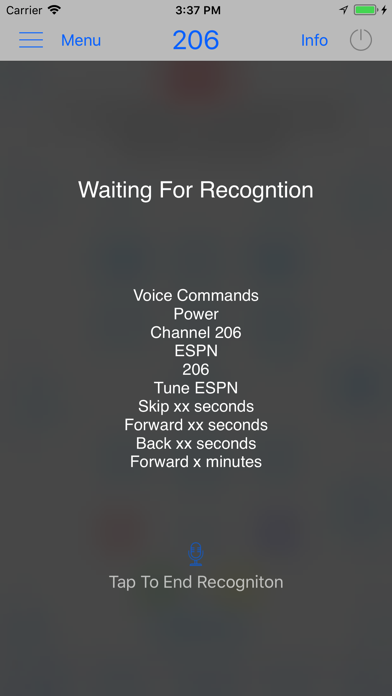
Direct Remote is a Wi-Fi remote control for your DIRECTV receiver that allows you to control your receiver using your iPhone, iPod touch or iPad from anywhere on your Wi-Fi network. Works with Genie Client Receivers as well as RVU enabled TV sets. See notes below to check compatibility with your DIRECTV system. Features: • Voice control for DIRECTV receivers! • Control using gestures or a more traditional touch interface • Quick tuning for up to 65 favorite channels • Shortcuts and home widgets • Program guide for favorite channels • Displays program information and name of the program you are watching • Automatically discovers receivers on network • Enables easy control in dark • Allows control of every receiver on the network with one device • Receiver can be hidden in a cabinet or another room • Works with DIRECTV receivers enabled for network control (see compatible models below) *** Requires iOS 10.0 or higher. Notes: • Receiver must be connected to Wi-Fi network in order for this app to work. One way to check this is to push the right arrow on your remote control. If you have access to Internet connected apps, your receiver is connected to the network. • Compatible models are all Genie receivers and clients, HR20, HR21, R22, R23, HR24 and H21, H23, H24, H25 and all newer receivers. Also works with 3rd party RVU enabled TV sets. You can verify your model by looking under the front panel door of your receiver. • Controls DirecTV receiver only, will not control your TV power or volume If you have any questions prior to purchasing, feel free to contact me using the support link.
Screenshots(5)
View on store ↗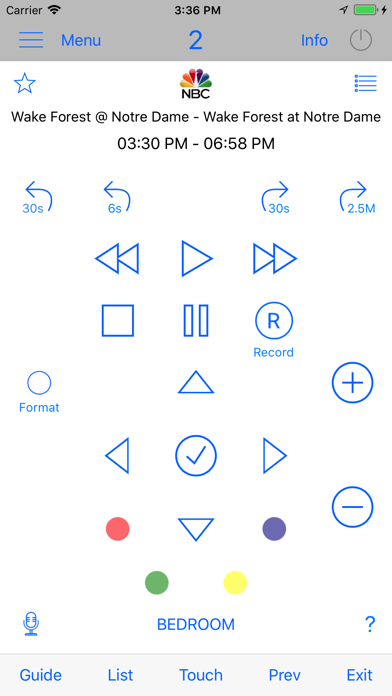



Ratings
3.8 / 5
1,140 ratings
- 5 ★53%
- 4 ★20%
- 3 ★9%
- 2 ★7%
- 1 ★11%
Recent Reviews
- ★★★★★destineighh
scam
Paid .99 just for it not to work. it’s saying it’s connected to the receiver but it isn’t even doing anything … and the instructions suck
- ★★★★★TPeira
Meh
It stopped working
- ★★★★★Funstuff7
Nope!
If I could give zero stars I would. I downloaded thinking it would work based on the other positive reviews. It won’t connect to my system no matter how I go about it. It tells me it’s connected however will not control the system. Very frustrating and disappointing.
- ★★★★★Me pick Me !
Refund
How do I get a refund? I accidentally purchased the app. I put 5 stars because I had to put a rating. I have no idea if it's a 1 or 5 because I accidentally clicked it
- ★★★★★M.O.375hc
No Volume Control??
What kind of tv remote doesn’t have a volume control option? Completely useless app as I STILL need to use my original remote for volume control. What a waste of money.
- ★★★★★PkBob
Does not work.
Total waist.
- ★★★★★Anal air
Can’t return to main screen
Go to add favorite screen, then cannot get back to control buttons
- ★★★★★animalse
Animalse
No volume control
- ★★★★★Craigl1420
Don’t waste your money.
Works intermittently and of course the developer is MIA and does not respond to emails. A waste of a dollar for sure I guess the dev made their money and moved on.
- ★★★★★Red Dog's Basement
Numbers
It’s too bad you cannot enter channel numbers while searching in the guide.