
Kino - Pro Video Camera
Lux Optics Incorporated · App ID: 6472380172
Downloads / mo
13.7K
Range 5.5K–34.2K
Revenue / mo
$120.1K
Range $48.1K – $300.3K
RPD
$8.79
Revenue per download
Avg. DAU
8.1K
Daily actives
Time Spent
11 min
Per user / day (est.)
Session Count
556.1K
Monthly (est.)
Category Ranking
100+
Photo & Video · US Today
Top Countries
US · India · Brazil
By est. downloads share
Downloads Trend
141.2K12-mo total
Monthly avg 11.8K
Revenue Trend
$1.2M12-mo total
Peak Jan ($117.4K) · amber bar = best month
Release Details
- Current Version
- 1.4.3
- Last Updated
- 6/10/2026
- Release Date
- 5/29/2024
- Minimum OS
- 17.0
- File Size
- 47.7 MB
- Content Rating
- 4+
- Languages
- NL, EN, FR, DE, IT, JA +6
Description
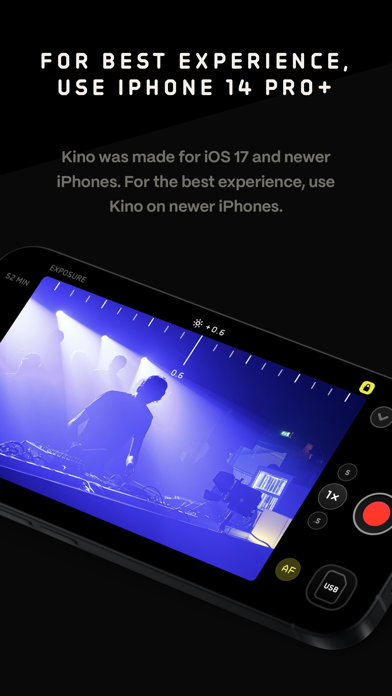
Make great video easy! Kino lets you just press record and create cinematic video with color presets created by expert filmmakers—no edit required. Plus, with “AutoMotion,” the app automatically creates that smooth "film look" you see at the movies. Shoot great video with no film school required. Are you an experienced filmmaker? Kino includes all the features you need to shoot like a Pro, such as a full manual mode, focus peaking, color waveform, audio meters, and more. If you’re experienced in color, you can import LUTs quickly and use the same powerful Instant Grade feature to output video with baked in LUTs. Regardless of your skill level, Kino adapts to your needs. Pick your experience level when setting up the app to dial things in your way or go with recommended, simple settings. The beautiful, simple interface shows only essential things, while keeping powerful features under thumb’s reach. INSTANT GRADE Kino comes packed with pro color presets by experts like Stu Maschwitz, Sandwich Video, Evan Schneider, Tyler Stalman and Kevin Ong. With one tap, you can shoot video with cinematic, film-like color by selecting a Grade preset. With Instant Grade, you don’t have to apply it later or do any editing steps: Kino just saves the processed video for you, ready to share. LEARN ALONG Getting started with video? The Kino team has a free series of lessons prepared you can dive into right away to learn filmmaking with the app. Start out with our simple recommended settings and enroll in a lesson plan to get lessons emailed to you that are easy to follow and let you unlock every feature of the app to use for making better videos. PRO TOOLS Kino’s simple interface does not mean it lacks in powerful pro tools. Start out with automatic exposure with EV adjustment and AE and WB lock, or drop into full manual mode with shutter speed, angle and ISO adjustment. Compose a shot with the grid with built in level, check exposure with the RGB waveform, and pull focus with focus peaking. Kino can store your recordings in Files instead of Photos for better and easy shot management, and even features a screen lock to prevent inadvertent taps messing up your shot. Set custom recording settings (like 4K 60FPS Apple Log ProRes422HQ on iPhone 15 Pro) or get started with presets for flexibiltiy. BEAUTIFUL INTERFACE Thoughtful touches are abound in Kino: from a screen-wide telltale ring to show you are recording, to beautiful custom typography throughout with our own bespoke fonts, Kino balances beauty and simplicity with flexibility and control for users of any skill level. AUTOMOTION Get cinematic motion like in feature films. Introducing: AutoMotion. Kino biases exposure towards a 180° shutter speed by default. If you land in this sweet spot, and available light supports it, the ‘Auto’ label turns green — showing you are in the sweet spot for great cinematic motion. Bright day out? Pop an ND filter on your iPhone and don’t worry about adjusting manual settings: Kino will take care of prioritizing shutter angle so you can just shoot and get great results. LUT FRIENDLY One of the powerful aspects of Kino is being able to download new looks from your favorite creators or your own making. Author .cube LUT files in Pixelmator Pro, Davinci Resolve, or other apps (up to 33x33) and open them in Kino with a tap. TRULY PRIVATE None of our apps gather or collect data, or analyze your videos and photos. We believe the most important thing a camera can be is private. CREATOR SPECIAL Are you a creator or filmmaker and want to get started with or love using Kino? Get in touch with us to get our ‘Creator Kit’: see the Kino website for more details. When sharing your work, tag it #shotwithkino so we can feature it online. Thanks for making it this far! Kino is made by friends — Ben Sandofsky and Sebastiaan de With, with the help of Katie-Rose Summerfield and Doug Broussard. We made this app with love and care and we hope you love it.
Screenshots(6)
View on store ↗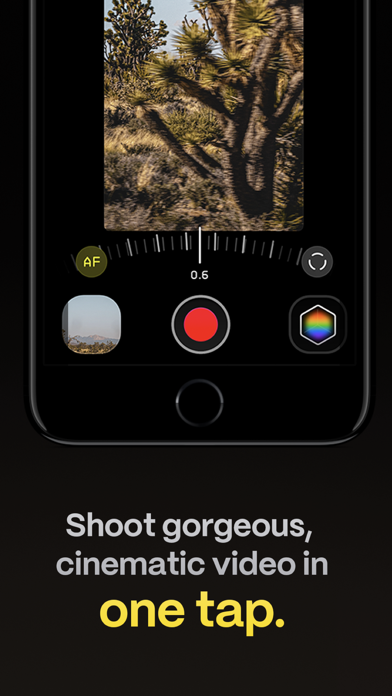



Ratings
4.7 / 5
1,919 ratings
- 5 ★84%
- 4 ★7%
- 3 ★3%
- 2 ★3%
- 1 ★3%
Recent Reviews
- ★★★★★kylamedina
Icon is bad
Please give paid users some cooler icons, Halide isn’t bad, why not at least match the icons?
- ★★★★★vfxninjaeditor
Love it, but lacks bitrate control for exports
For quick exports to send to friends and family this app is great, but it seems to lack the ability to control the bitrate for exported videos. At least from what I can tell from the settings. You get nice color out of it, but the video looks pretty compressed unfortunately.
- ★★★★★Bobby Chompers 1981
Fun and Easy
Really easy to use. Built-in LUTS are great.
- ★★★★★jontay damar
Smh
New updates suck!!!
- ★★★★★rawkfistn1
Buggy, but good results
I like the results from the app, but I encounter bugs fairly frequently that make my experience subpar. Sometimes the lens selection buttons will not load in if I’m actively using a different camera app. Also fairly constant issues of permanent black frame or frozen frame when reopening the the application. If these were fixed I’d wholeheartedly recommend, but it’s quite annoying as is
- ★★★★★zeroalexzero
Horrible, Ruined Footage, Unrecoverable
I used to love this app always used it. However today I tried to record some clips and one of them just says error over it and is basically corrupted and doesn’t play. The other clips all have insane audio latency issues but it’s not recoverable as the video at random moments slows down and speeds up so I can’t even take the video into a editor and try to resync it it literally loses sync every few seconds. Horrible no idea what they’re doing to this app but these bugs made me lose an entire day of shooting and now I can’t rely on it. I paid for the in app purchase already but I will be uninstalling it and recommending others to use alternatives.
- ★★★★★Paul Mina
greedy
blackmagic blows you out of the water and it is free. apple has done all the heavy lifting for you exposing their libraries.
- ★★★★★SJYAJ88
Great app but minor issue
It’s great app to use giving the option to shoot in log and bake the lut footage in there to save time if you’re on the go and want quick content. However, navigating through setting can be slow, and touch response to each settings is glitchy. One thing that got me frustrated is when choosing lens. Sometimes it work and some it doesn’t. I recently purchased this app hoping to use for an event yesterday but unfortunately I didn’t get to use it because of those issue i mentioned. I hope a future firmware will solve these issue.
- ★★★★★Qr8v
No apple log 2
So much time have passed and no integration of apple log 2
- ★★★★★david cheims
Feels like a scam
Terrible app… won’t recommend this at all… a scam if you ask me