
HRV4Training
A.S.M.A. B.V. · App ID: 686923970
Downloads / mo
335
Range 134–838
Revenue / mo
$3.2K
Range $1.3K – $8K
RPD
$9.49
Revenue per download
Avg. DAU
756
Daily actives
Time Spent
9 min
Per user / day (est.)
Session Count
52.2K
Monthly (est.)
Category Ranking
100+
Health & Fitness · US Today
Top Countries
US · India · Brazil
By est. downloads share
Downloads Trend
3.5K12-mo total
Monthly avg 290.1
Revenue Trend
$33K12-mo total
Peak Jul ($3.4K) · amber bar = best month
Release Details
- Current Version
- 8.6.3
- Last Updated
- 5/25/2026
- Release Date
- 8/14/2013
- Minimum OS
- 12.0
- File Size
- 35.5 MB
- Content Rating
- 4+
- Languages
- EN, IT, ES
Description
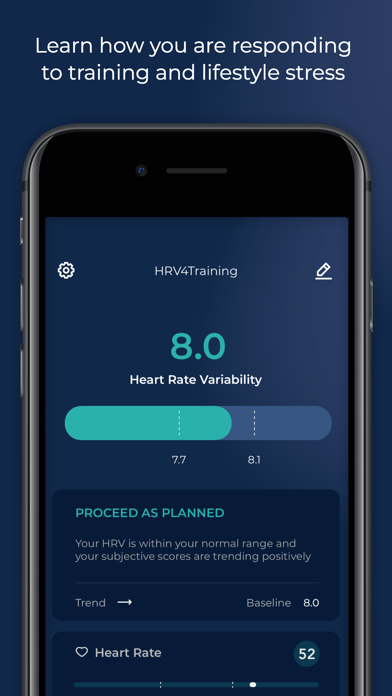
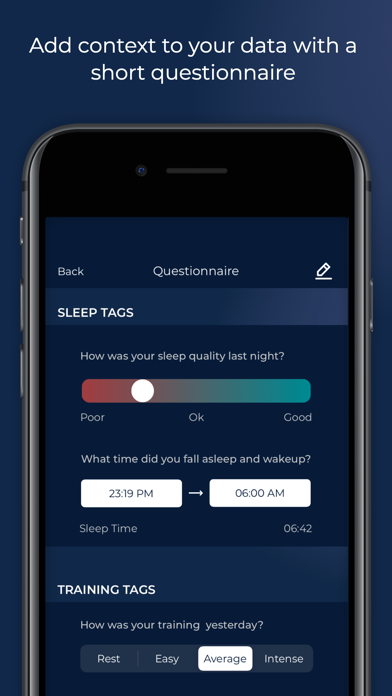
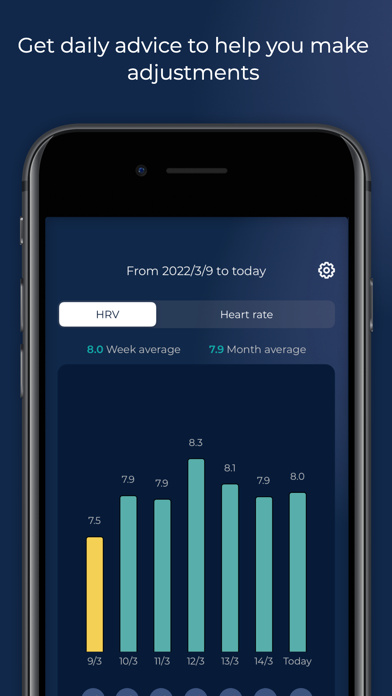
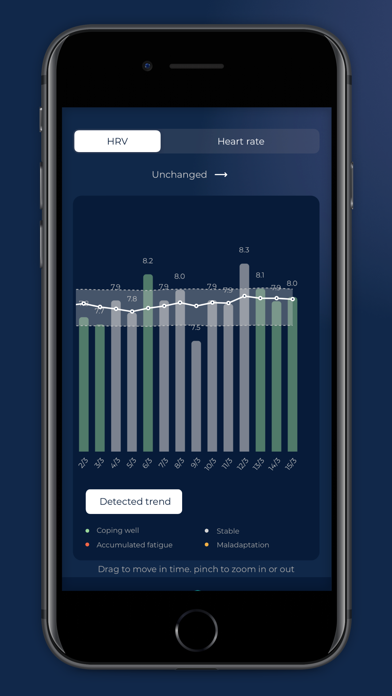
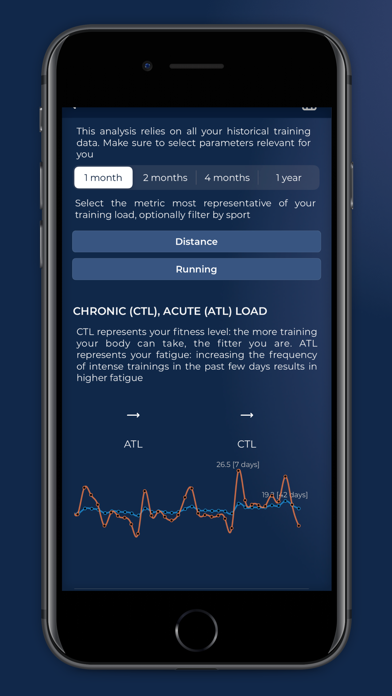
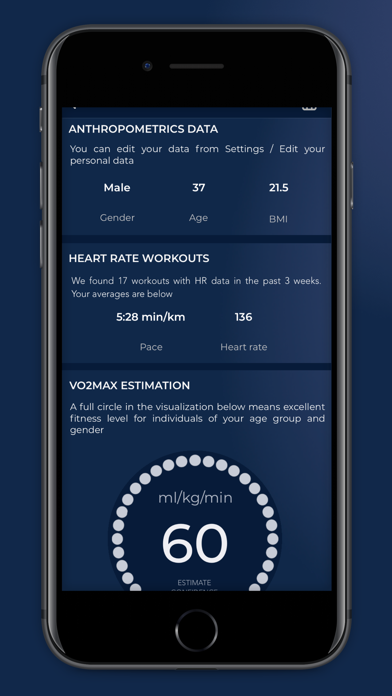
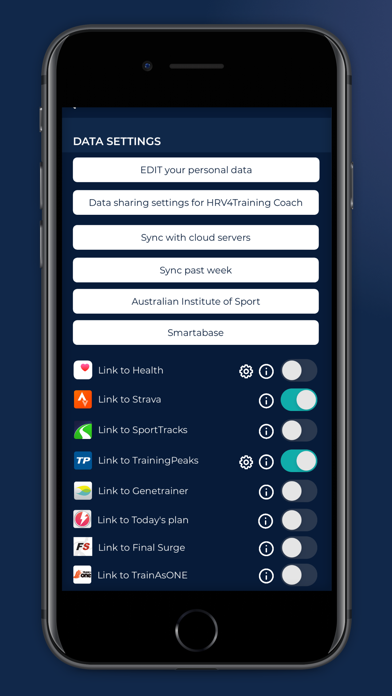
The first scientifically validated Heart Rate Variability (HRV) app. HRV4Training provides HRV based insights to help you quantify stress, better balance training and lifestyle, and improve performance. HRV4Training does not require a heart rate monitor, since it can accurately assess your HRV using the phone's camera. HRV4Training also works with Apple Watch, the Oura ring and all compatible Bluetooth SMART sensors. HRV4Training is also the first app that goes beyond simple measurements and provides insights on: 1) acute or day to day HRV changes in response to different stressors (alcohol, travel, sick days, training, menstruation, etc.) 2) long term multi-parameter trends to look at the big picture 3) correlations between physiological measurements and annotations 4) training load analysis, fitness, fatigue, readiness to perform and injury risk 5) VO2max estimation for runners linking the app to Strava or TrainingPeaks and using a heart rate monitor during their workouts 6) Training Polarization analysis (or 80/20) 7) Lactate Threshold Estimation for runners linking the app to Strava or TrainingPeaks and using a heart rate monitor during their workouts 8) Weekly and monthly summaries to track progress. All data is processed inside the app in order to provide you with actionable interpretations that can help optimizing your training plan and performance. Supported devices for the camera measurement: iPhones 5, 5S, 6, 6S, 6+, 6S+, SE, 7, 7+, 8, 8+, X, XS, XS Max, XR, 11, 11 Pro, 11 Pro Max, 12 mini, 12, 12 Pro, 12 Pro Max, 13 mini, 13, 13 Pro, 13 Pro Max, 14, 14 Plus, 14 Max, 14 Pro, 15, 15 Max, 15 Pro, 16, 16 Max, 16 Pro Currently unsupported devices for the camera measurement: iPhones 4S, iPads and iPods - These devices require a chest strap. Other features: - HRV-based advice helps you to adapt your trainings based on objective measures of recovery - TAGS: lets you tag your sleep, mental energy, muscle fatigue, stress and all other parameters that can help you understand what is influencing your physical condition and physiological stress - Works with Bluetooth SMART heart rate monitors (a Polar H7 is recommended) or simply your phone's Camera - Integrates with the Health app (writes heart rate, and sleep, read sleep time) - Configurable test (single or orthostatic, choose test duration between 1, 3 or 5 minutes) - Extracts and stores the following features while lying down and/or standing: heart rate, mean of beat-to-beat intervals (AVNN), standard deviation of beat-to-beat intervals (SDNN), square root of the mean squared difference of successive R-Rs (rMSSD), number of pairs of successive R-Rs that differ by more than 50 ms (pNN50), low frequency power (LF, 0.04-0.15 Hz), high frequency power (HF, 0.15-0.40 Hz) - Shows the PPG signal view to ensure signal quality during the test if the camera is used instead of a bluetooth SMART sensor - HRV4T Recovery Points to provide a single, straightforward metric to analyze your physical condition - Population summaries and people like you comparisons to put your data into perspective - Analysis of compliance and consistency - Data export via email or Dropbox - Integrates with TrainingPeaks, Oura, Strava and Coros HRV4Training requires to register an account with your email address, so that your data can be backed up safely and retrieved in case anything happens (app issue, changing phone, etc.). HRV4Training does not provide medical advice. It is intended for informational purposes only. Consult a medical professional before making health or lifestyle decisions. Please find an overview of the relevant scientific literature in our guide, here: https://marcoaltini.substack.com/p/the-ultimate-guide-to-heart-rate
Screenshots(9)
View on store ↗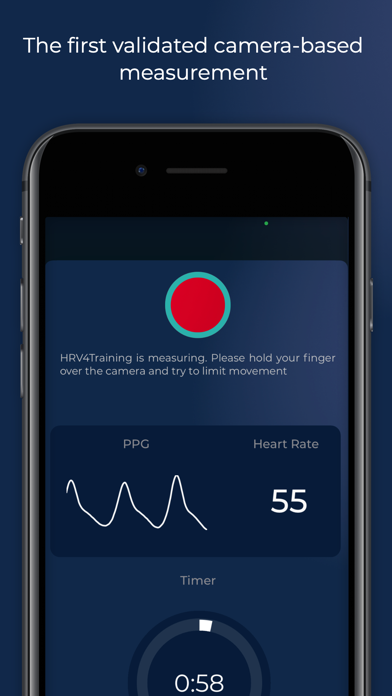

Ratings
3.6 / 5
288 ratings
- 5 ★40%
- 4 ★25%
- 3 ★11%
- 2 ★9%
- 1 ★14%
Recent Reviews
- ★★★★★Okroadrunner
Health
I take the Hrv 4 training measurement daily to monitor health status. I appreciate the feedback with the results and guidance regarding the intensity for the day
- ★★★★★Ggvbau1956
How to do measurements with newer cameras??! BUYER BEWARE: glitchy
Cool idea but the camera measurement thing seems to work quite poorly with my newer model iPhone. It’s nearly impossible to keep BOTH lenses plus the flash covered for the duration. I would not have purchased the app had I known. Any tips now that the cats out of the bag for this sucker
- ★★★★★AJL1134
Too expensive and bait and switchy
The interface is mid. I was fine paying the 10 bucks for the app but not disclosed in the purchase is you have to pay another 50 bucks every year just to sync to TrainingPeaks! that’s absurd and total rip off.
- ★★★★★blahblahblah_:)
Not worth the effort to install
Only successful tested once for only one minute. Never again it always stop before completing one minute testing. Waste money and time. Apple should refund me for selling me a product that does not work.
- ★★★★★restorationguy
Random number generator
I typically end up taking 3 - 5 measurements each morning. Heart rate varies a couple of beats measurement to measurement (sometimes more), but the bigger issue is HRV variation. Today my first measurement was above my normal range, second and third were in the normal range, and the fourth was below normal range. In all cases, signal quality was optimal, so something is off. I’m better off ignoring it and just relying on how I feel.
- ★★★★★Tonikiwiki
Does not work with new I-phone
If I had giant hands I might be able to actually get a reading. But I have small hands and it is IMPOSSIBLE to cover the lens AND flash at the same time (and which lens am I supposed to cover?…you show a camera with only one lens in your demo…how old is that?!). I spend 20 minutes with the stupid thing stopping and starting and never actually get a reading. Too bad I can’t get my money back!
- ★★★★★Dream Mapper
Measurement trick for iPhone 17 Pro…
Longtime HRV4Training user (57.5 week average; since 2020) and just purchased an iPhone 17 Pro. With the flashlight/flash moved away from the main fusion iPhone lens by approximately 3cm, there is a trick for the app to work with the new camera lens lens arrangement. The trick is to place your index finger on the closest lens to the flash rather than on the lens in the corner of the lens arrangement. Once I figured this out, the app works consistently (similar to earlier versions).
- ★★★★★Wolf bird 2
Worked only 2xs
This took only 2 measurements and then never worked again. Don’t waste your money.
- ★★★★★Skroah
Never got a great reading on iPhone. Horrible user experience. No refund available?
Title says it all. I tried, I don’t know several dozen times with my iPhone 16 to get a decent reading. Darkness, no cover, followed all scant instruction and support, broken links etc. how do I get a refund please?
- ★★★★★nattyc101
Insights are good
But the app itself could use some help! Particularly the recent bug where it logs you out every time you want to use the app which makes it difficult to use this every morning as intended.