
Downloads / mo
3.5K
Range 1.4K–8.7K
Revenue / mo
$13.6K
Range $5.4K – $34K
RPD
$3.89
Revenue per download
Avg. DAU
12.3K
Daily actives
Time Spent
11 min
Per user / day (est.)
Session Count
847.4K
Monthly (est.)
Category Ranking
100+
Photo & Video · US Today
Top Countries
US · India · Brazil
By est. downloads share
Downloads Trend
36.5K12-mo total
Monthly avg 3K
Revenue Trend
$142K12-mo total
Peak Apr ($14K) · amber bar = best month
Release Details
- Current Version
- 9.9.1
- Last Updated
- 10/6/2022
- Release Date
- 12/12/2013
- Minimum OS
- 14.0
- File Size
- 6.4 MB
- Content Rating
- 4+
- Languages
- EN, FR, DE, IT, JA, KO +6
Description
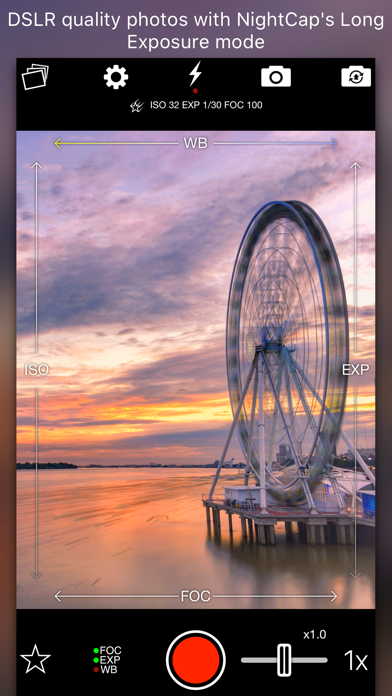
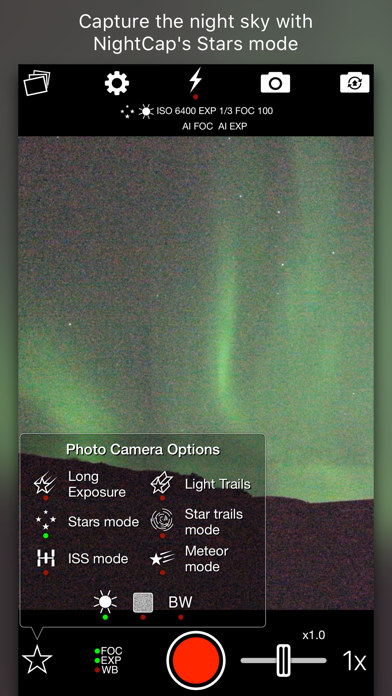
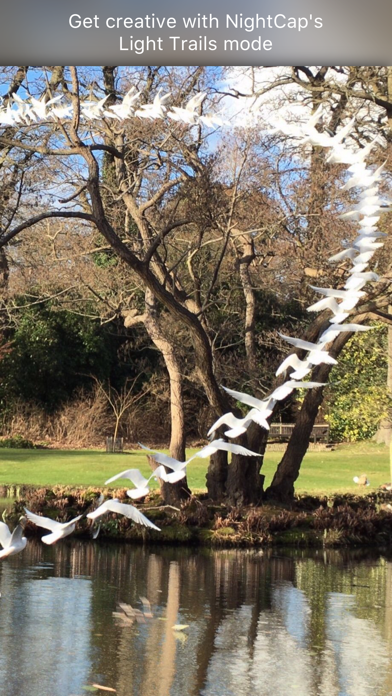
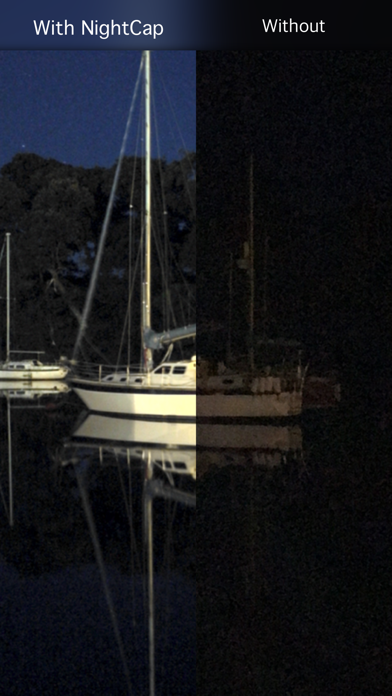
NightCap Camera is a powerful app that takes amazing low light and night photos, videos and 4K time lapse. Long exposure produces beautiful photos in low light and unique Astronomy modes capture the stars, Northern Lights (Aurora) and more! Do you find your photos and videos dark and grainy in low light? NightCap will help by unlocking the full potential of your iPhone or iPad's camera. AI camera control makes it easy by automatically setting optimum focus and exposure for a brighter, clearer shot. All you need to do is hold steady and tap the shutter. If you prefer manual control then instant gesture based adjustment is always available, and special camera modes give you DSLR like results. You can even shoot photos, videos and time lapse in black and white if you want to. Try Long Exposure mode for amazing motion blur effects and reduced image noise in low light. NightCap has an ISO Boost feature that allows 4x higher ISO than any other app, producing much brighter low light photos with low noise in Long Exposure mode! Light Trails mode preserves moving lights - ideal for moving traffic at night, fireworks or light painting. These modes are stunning when combined with HD or 4K time lapse! There are 4 dedicated astrophotography camera modes. Stars Mode is ideal for a starry sky or Northern / Southern Lights (Aurora), or leave your device capturing in Star Trails Mode and watch the stars paint circles in the sky! There are also modes for easy photography of the International Space Station (ISS) and meteors (shooting stars). Visit nightcapcamera.com for tutorials. Features: • Video recording with special Night Mode and full manual control. • Time lapse recording with adjustable speed, long exposure and light trails support and up to 4K resolution on iPhone 6s or newer or 1080p HD on older devices. • Aidie, a fully automatic AI camera operator chooses the optimum camera settings for you automatically, meaning brighter, clearer photos in low light with less risk of blurring the shot. All you need to do is hold steady and tap the shutter. • AI enhanced focusing in very low light for fast, reliable focus. • Automatic camera modes for Meteors (shooting stars), ISS (International Space Station), stars and star trails make these difficult tasks easy. • Innovative manual camera controls designed for photographers: intuitive gesture-based control of exposure, ISO, focus and even white balance. Simply swipe to adjust. • Long Exposure mode: Capture detailed, noise-free low light shots. • Light Trails mode: Perfect for light painting and even astronomy: photograph star trails with unlimited exposure time! • ISO Boost allows up to 4x higher ISO than any other app. • Light Boost instantly boosts brightness while preserving image detail. • Noise Reduction Mode helps reduce image noise. • 8x Zoom control (camera-style for easy, smooth zoom). • Full Apple Watch support with live preview and control of the main app features.
Screenshots(5)
View on store ↗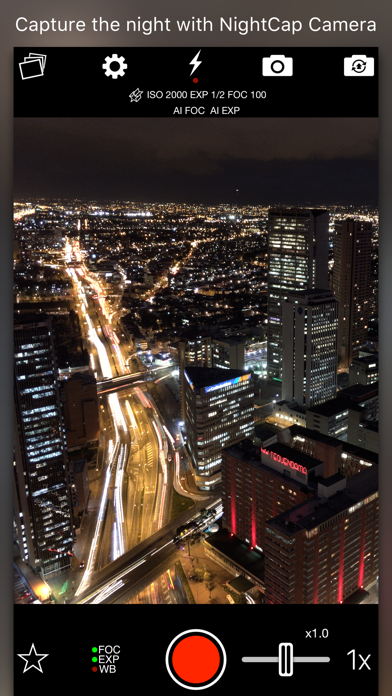
Ratings
4.4 / 5
2,924 ratings
- 5 ★79%
- 4 ★7%
- 3 ★3%
- 2 ★3%
- 1 ★7%
Recent Reviews
- ★★★★★FutureCorb
Very good tools to do challenging shots, great at night shots and more
This is one app that I can’t find an equivalent for on the non iPhone platforms. It takes some time getting to know its capabilities, But it’s well worth it. Timelapse, deep camera control using traditional photography controls and nomenclature, stars, space station mode, light trails. A lot of things found in other apps, but this one does it right and best.
- ★★★★★Kavehmmm
Very best
Best
- ★★★★★Boogie Night Photographer
Not as good as iPhone camera app
While I have got a few decent pics with the app, most just come out black or blurry. I have better luck adjusting the exposure on the iPhone camera app to 30 seconds then I do trying to photograph with this app. When the exposure is long, the screen preview is pretty much unusable because it keeps glitching. Using iPhone 16 and yes I looked through all the tutorials. I probably spent 20 hrs using it on many days and still don’t get worthwhile functionality.
- ★★★★★qazwsxwsxedcrfv
Great app but issue with family sharing
Having an issue with family sharing, been waiting a few days for a response. No response for a while :(
- ★★★★★Ew5870
The app freezes
The app freezes any time I try to use I can’t adjust settings or change modes
- ★★★★★Brandon..D
Frame rate sucks
0
- ★★★★★Gearz86
Not ideal - Apple app seems to be better
I’m in Finland and downloaded this app on an Aurora hunting tour. We had excellent activity. I followed the Aurora tutorial and I wish I could show you the difference in picture quality between the Nightcap app and the standard camera app. The regular app was much better
- ★★★★★TheDramaTube
Don’t fall for the scam!
They say the app is $2.99 I believe but just charged me again this month and I now see where it’s a LOT more than what they lead you to believe!
- ★★★★★njahahhahahahaha
Sorely disappointed
This app is incredibly slow and jittery. I use an iPhone 17 pro and it still doesn’t seem to be good enough for this app. That’s $2.99 I am never getting back
- ★★★★★Th€sum€¥together
The input lag is unbearable
If it wasn’t for the unbearable input lag on my iPhone 17 Pro Max, this app has almost everything you need. I can’t get it to work. I’ve tried several different settings, and the exposure seems to make it lag the most. Any time I adjust the exposure it wants to drop back down to 1 and the lagging persists. I would recommend an “action mode” for performance and people like me who don’t have the knowledge of which setting combo works best. Turning off the auto exposure and trying to turn it down has not worked and I’m watching some sort of random aurora event disappear from view… I’m missing the best shot here.