
Microsoft Authenticator
Microsoft Corporation · App ID: 983156458
Downloads / mo
899.1K
Range 359.6K–2.2M
Revenue / mo
$1.8M
Range $719.2K – $4.5M
RPD
$2.00
Revenue per download
Avg. DAU
1.4M
Daily actives
Time Spent
11 min
Per user / day (est.)
Session Count
96.4M
Monthly (est.)
Category Ranking
#4
Productivity · Downloads
Top Countries
US · India · Brazil
By est. downloads share
Downloads Trend
9.4M12-mo total
Monthly avg 782.6K
Revenue Trend
$18.8M12-mo total
Peak Jul ($1.9M) · amber bar = best month
Release Details
- Current Version
- 6.8.50
- Last Updated
- 6/30/2026
- Release Date
- 5/30/2015
- Minimum OS
- 17.0
- File Size
- 164.5 MB
- Content Rating
- 4+
- Languages
- AR, EU, BG, CA, HR, CS +36
Description
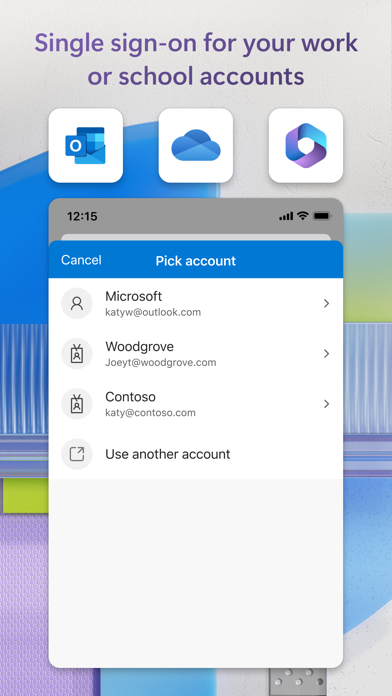
Use Microsoft Authenticator for easy, secure sign-ins for all your online accounts using multi-factor authentication, passwordless, or password autofill. You also have additional account management options for your Microsoft personal, work or school accounts. Getting started with multi-factor authentication Multi factor authentication (MFA)provides a second layer of security. When enabled, during login after entering your password, you’ll be asked for an additional way to prove it’s really you. Either approve the notification sent to the Microsoft Authenticator, or enter the one-time password (OTP) generated by the app. The OTP codes have a 30 second timer counting down. This timer is so you never have to use the same time-based one-time password (TOTP) twice and you don’t have to remember the number. The OTP doesn’t require you to be connected to a network, and it won’t drain your battery. You can add multiple accounts to your app, including non-Microsoft accounts like Facebook, Amazon, Dropbox, Google, LinkedIn, GitHub, and more. Getting started with passwordless Use your phone, not your password, to log into your Microsoft account. Just enter your username, then approve the notification sent to your phone. Your fingerprint, face ID, or PIN will provide a second layer of security in this two-step verification process. After you’ve signed in with two factor authentication (2FA), you’ll have access to all your Microsoft products and services, such as Outlook, OneDrive, Office, and more. Getting started with autofill Microsoft Authenticator app can also autofill passwords for you. Sign-in on the Passwords tab inside the Authenticator app with your personal Microsoft account to start syncing passwords, including the passwords saved in Microsoft Edge. Make Microsoft Authenticator the default autofill provider and start autofilling passwords on apps and sites you visit on your mobile. Your passwords are protected with multi-factor authentication in the app. You will need to prove yourself with your fingerprint, face ID, or PIN to access and autofill passwords on your mobile. You can also import passwords from Google Chrome and other password managers. Microsoft personal, work or school accounts Sometimes your work or school might ask you to install the Microsoft Authenticator when accessing certain organization resources. You will need to register your device to your organization through the app and add your work or school account. Microsoft Authenticator supports cert-based authentication by issuing a certificate on your device. This will let your organization know that the sign-in request is coming from a trusted device and help you seamlessly and securely access additional Microsoft apps and services without needing to log into each.
Screenshots(7)
View on store ↗




Ratings
4.7 / 5
665,576 ratings
- 5 ★83%
- 4 ★8%
- 3 ★3%
- 2 ★3%
- 1 ★3%
Recent Reviews
- ★★★★★yanks2313
“Open your Authenticator app and enter the number shown” loop
Authenticator app automatically opens when logging into my work email, and then prompts me to open the Authenticator app to approve the log in.
- ★★★★★Benkrs165
Dumb
2-factor is the dumbest thing. It locks people out more than it logs them in. Who cares if I’m logging in on a laptop vs a phone. I shouldn’t need my phone to be present to log in on the laptop. Can’t we just go back to the good old days when you just entered your password on any device and it just “simply” logged you in? 🤷🏻♂️ 2-factor doesn’t solve problems, it creates problems.
- ★★★★★S-doy
Its beyond annoying
I changed my phone and if you do not have access to your mobile authenticator app its a doom loop. A code shows but I do not get the approve pop up. Just text me a access code so I can go about my day please.
- ★★★★★ZF_77
Authentication is atrocious
If you use this on mobile they make it impossible to authenticate on a single device, the app tries to authenticate on the authentication app via the authentication app. If you have a meeting to get to on mobile and you get signed out good luck. Also the outlook sign in solution also failed. This process all around is a failure.
- ★★★★★SigSox
How Stupid Can You Be?
Microsoft locked me out on all devices until I could verify using the Microsoft Authenticator App. It also locked me out of the app for the same reason. It offered me another way to sign in to the App, through the email it just locked me out of. How stupid can you get?
- ★★★★★jimmy li starry
It asked me to tap number in itself when logging to my Microsoft account, so stupid
On my new iPhone, while I am using the authenticator app to sign in to my Microsoft account, it asked me to tap a number in the authenticator app. How can I do that? That’s the e most stupid designed I’ve ever experienced.
- ★★★★★Sai beeram
Worst app
Why you need asking multiple times user id and password. Very very worst experience. As Google Authenticator you have to add QR code to transfer all accounts of Authenticator app to new device.
- ★★★★★WeaselShell
Authenticator App wants to Authenticate Authenticator App through Authenticator App.
I can’t log into the Outlook app on my phone without it going through the Authenticator app. Authenticator app wants me to authenticate the Authenticator app login through my Authenticator app. I can’t use the same app to authenticate my ability to use the same app. Furthermore, there is no number I can call to get ahold of a real person at Microsoft to fix this bug for me. As an attorney and owner of my own firm, I rely on my ability to check and use my email and word app on the go. This is not only frustrating and eating my time, but it is also harming my career. I am profoundly disappointed. Please fix this.
- ★★★★★Lilbyrded
Works. But difficult
Changed phones, had to spend hours rebuilding my life. It’s also nearly impossible to reset a password in Microsoft without doing the same step 4 times.
- ★★★★★aPanthera
Adding new account
This app is not user-friendly and very frustrating. I was trying to add a new personal account and come to this QR code to scan it in unless I trick it by selecting work account scan a QR code. I was setting up my personal Microsoft account and it had a QR code on my laptop that I couldn’t scan. Why forced me to use my email and password when I could just scan it you a QR code instead I have to to trick the system to figure out how to use this QR code. Not sure why you do this and not user-friendly?